Chapter 3 Media
General View
Media design helps you to access inserted USB flash driver or TF card’s file easily .
Movies, musics, photos and other documents can be displayed.
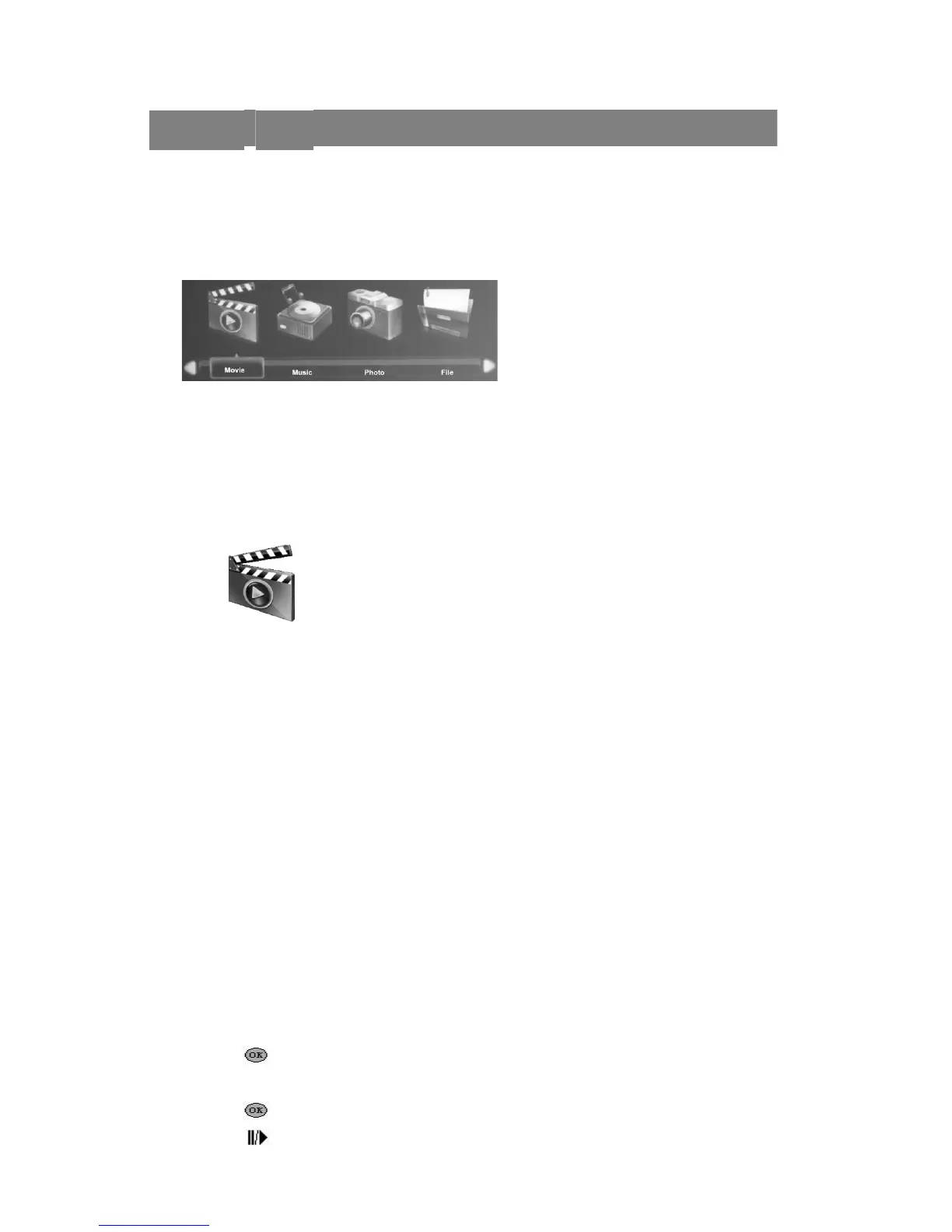
Media center menu includes four access application:
Movie
Supported Formats
Supports the following movie formats:
H. 264 video, up to 720 p @ 30 fps; Main Profile level 3.1, AAC - LC audio,
up to 160Kbps, 48 khz, “.m4v”, “.mp4 ”and “.mov ” format stereo audio.
MPEG-4 video, up to 2.5 Mbps, 640 x480 pixels @ 30 fps; Simple Profile, AAC - LC
audio, maximum 160 Kbps/channel, 48 khz, “.m4v”, “. Mp4” and “.mov” format stereo
audio.
Motion JPEG (M - JPEG) up to 35 Mbps, 1280 x720 pixel, 30 fps, U - Law audio,
“.avi” file’ PCM stereo audio .
VC-1,WMV9,DivX(Xvid),Real Video,AVS.
Unicode subtitle file: “.ssa”, “.ass”, “.srt”, “.smi”.
Watch Movie
If you want to open the movie list, please do the following steps: (other
applications operation is the same)
1. Press button ◄ and ► on the media center menu list to choose“movie” icon.
2. Press button to open the file directory .
3. Press button ◄ and ►button choose the movie’s folder.
4. Press button picked out the movie needed to play.
5. Press button play the selected movie .
8


 To Next Page