Chapter 2 Start Using
Warning:
To be safe, cut power between projector and relative equipment before connect cable.
Select The Signal for the Projector
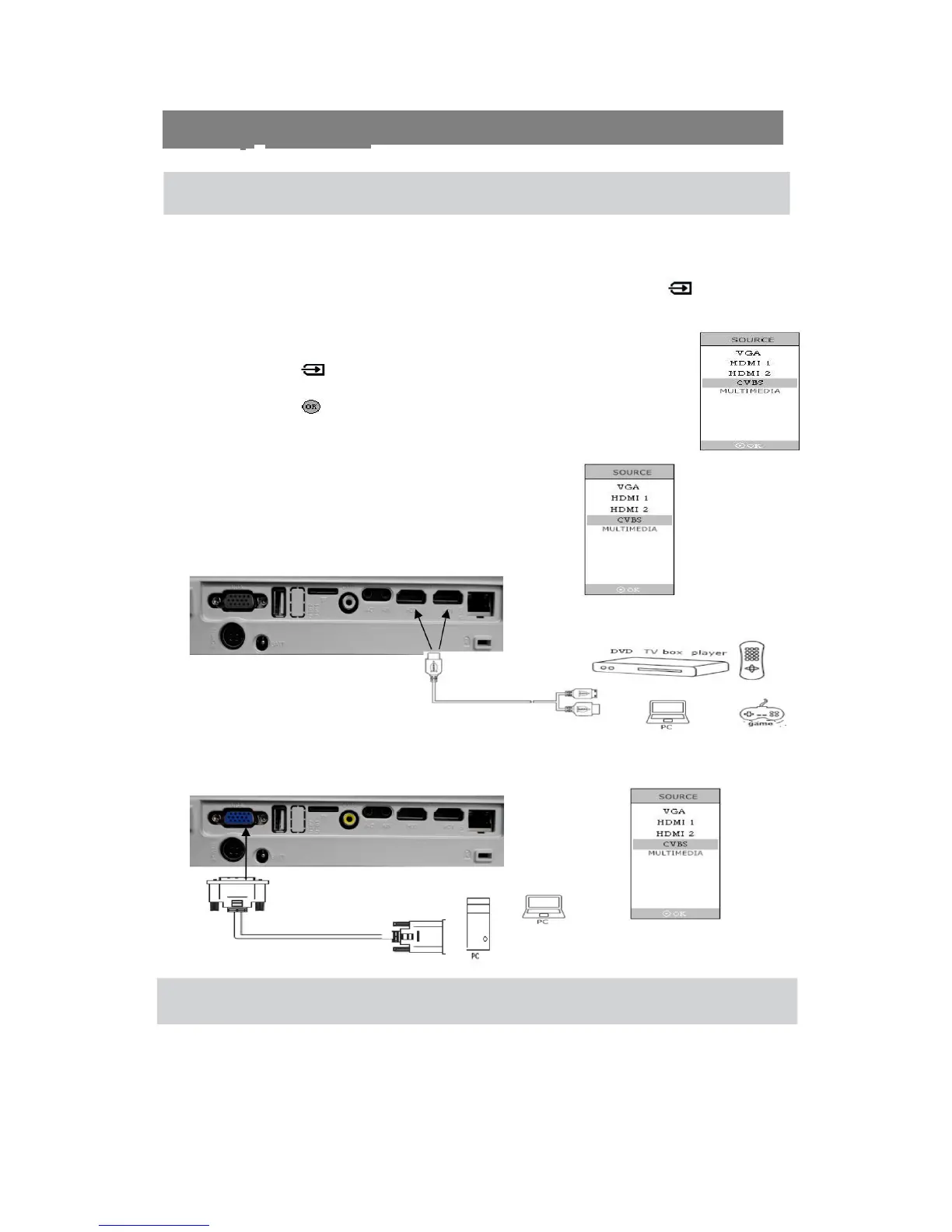
When you connect projector with different equipment, you should press SOURCE key
to choose corresponding input channel. Otherwise, there won’t be image could be
projected out.
1. Press ( SOURCE ) to get source menu.
2. Press ▲and ▼ to choose correct channel.
3. Press to confirm and exit.
Projector Connection Set
Connect with HDMI device
Use HDMI wire to connect projector with HDMI device.
Connect with Personal Computer
Use VGA to connect projector with personal computer
Note:
PC must have a VGA output port, then it can use VGA wire to connect projector.
4


 To Next Page