Need help?
Do you have a question about the Creality 3D LD-001 Series and is the answer not in the manual?
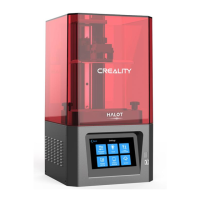
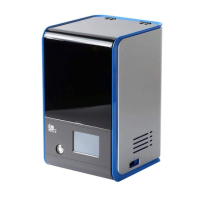
The main unit of the 3D printer being unpacked.
The platform where the 3D print is built.
Includes accessories, tools, and consumables for the printer.
Safety guidelines for handling photosensitive resin, including skin contact and eye protection.
Procedure to find and verify the printer's unique ID number for software use.
Steps to download, install, and configure the 3D printing slicing software.
Guide to connecting the printer to a Wi-Fi network using account and password.
Steps for connecting the printer to a PC or mobile device using its IP address.
Steps for slicing a model, saving the file, and preparing it for printing.
Guidance on starting the print, monitoring progress, and handling potential issues.
Overview of the main menu bar and quick access function buttons in the slicer software.
How to view the 3D model and perform basic manipulation actions like move and scale.
Features for adding, editing, duplicating models, and managing supports.
Step-by-step guide on how to import STL files into the 3D slicing software.
Instructions on duplicating existing models or removing them from the workspace.
Explanation of how to modify model size, position, scaling factor, and rotation.
Detailed steps for moving, scaling, spinning, orientating, and setting the model's bottom face.
Setting the support height for models, controlling attachment to the baseplate.
Detailed explanation of support parameters like shape, radius, length, penetration, and angle.
Tips for quickly modifying support angles, radius, and length using mouse and keyboard shortcuts.
Adding a baseplate for better adhesion and methods for removing existing supports.
Steps to modify supports and use the automatic support generation feature.
Performing the slicing process on the 3D model within the software.
Saving the sliced model data, including support information, in the correct format.
Steps to start printing, set job name, layer thickness, and exposure time.
Viewing the print progress, display effect, and detailed layer information.
Steps to remove screws, open the casing, and disconnect the screen cable.
Instructions for installing the new screen, connecting cables, and reassembling the printer.
Step-by-step guide to safely remove and replace the release film on the printing platform.
 General
| Brand | Creality 3D |
|---|---|
| Model | LD-001 Series |
| Category | 3D Printers |
| Language | English |

 To Next Page