22
Proprietary, patented product and assembly instructions. Do not copy or distribute.
LS1
tekcoP gniwS BL
LS2
LS1
tekcoP gniwS BL
Back Panel
LS2
Pocket Shelf
diL
LS
diL
LS
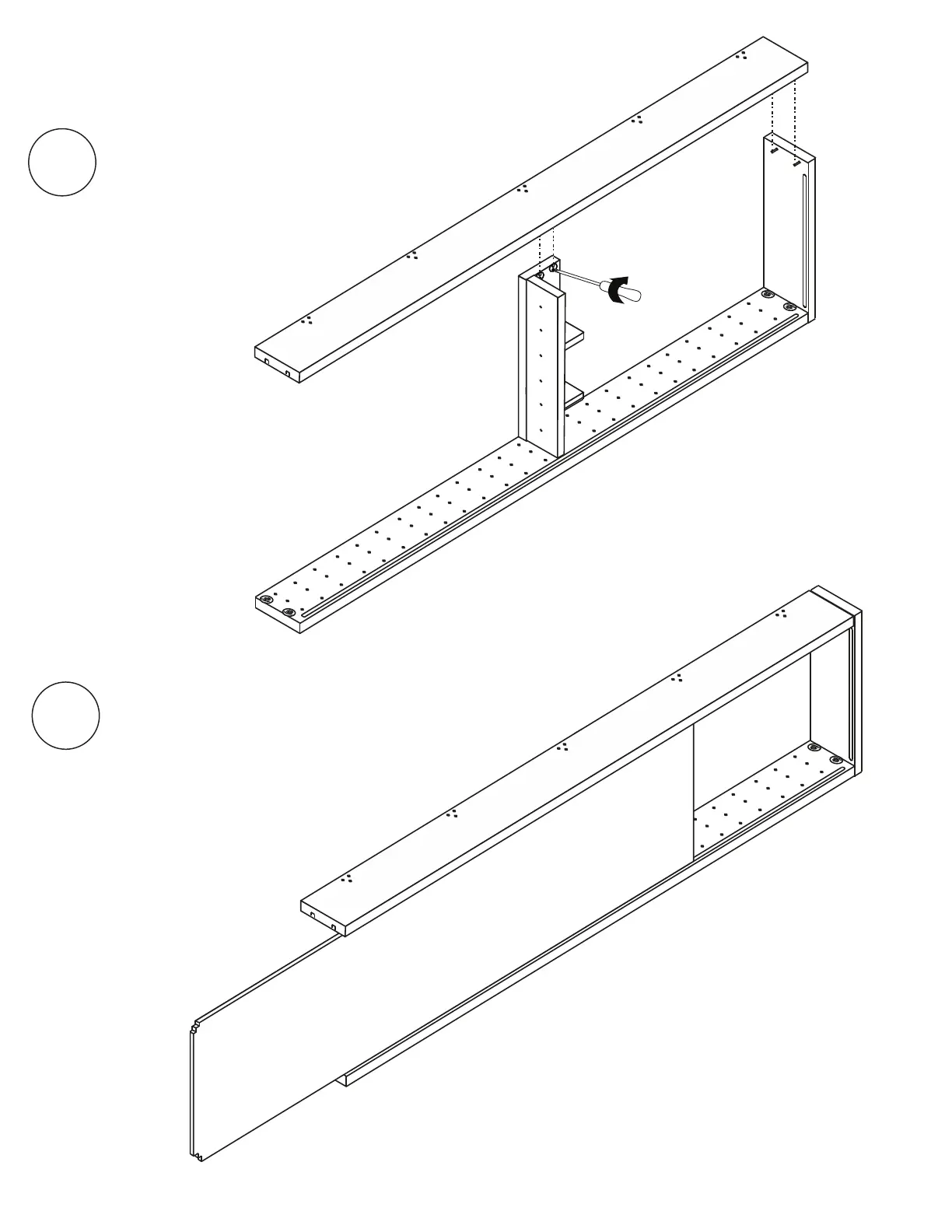
Place LS2 on top of Lid
and Pocket and fit over Connecting
Bolts with Locking Cams.
Tighten 2 Locking Cams on Lid and
2 Locking Cams on pocket.
4
Two people may be needed for
this step. Lift up LS2
slightly to slide the back
panel into the grooves
of LS1 and LS2. Slide Back
Panel toward Lid until secure.
5



 To Next Page