Page 29
Creative XP 3G Scouting Trail Camera PRO3
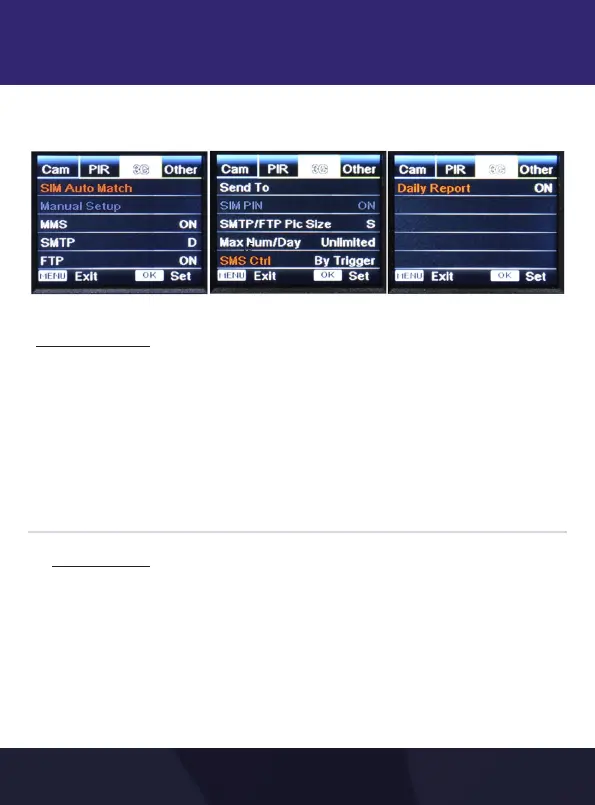
Operation Menu > 3G
4.5
[3G] - MOBILE SETTINGS
The camera will automatically enter MMS & 3G setups when the
SIM card is inserted. This is valid only for AT&T SIM Cards. These
functions will only work properly with AT&T Sim Cards.
For connecting it to other networks, please contact us directly.
If the message “SIM Auto Match failed, pls enter setup
manually” pops up on screen, please switch “SIM Auto Match”
to “Manual” mode, then enter MMS &3G setups in “Manual
Setup”
Please manually enter the below setup in “Manual”
mode if your AT&T Sim Card can’t be automatically
matched by the camera itself.
Always, turn OFF the camera and turn it back ON to
update the info after manual setup.
SIM Auto Match
Manual Setup


 To Next Page