6 3D Blaster GeForce2 GTS Installation Guide
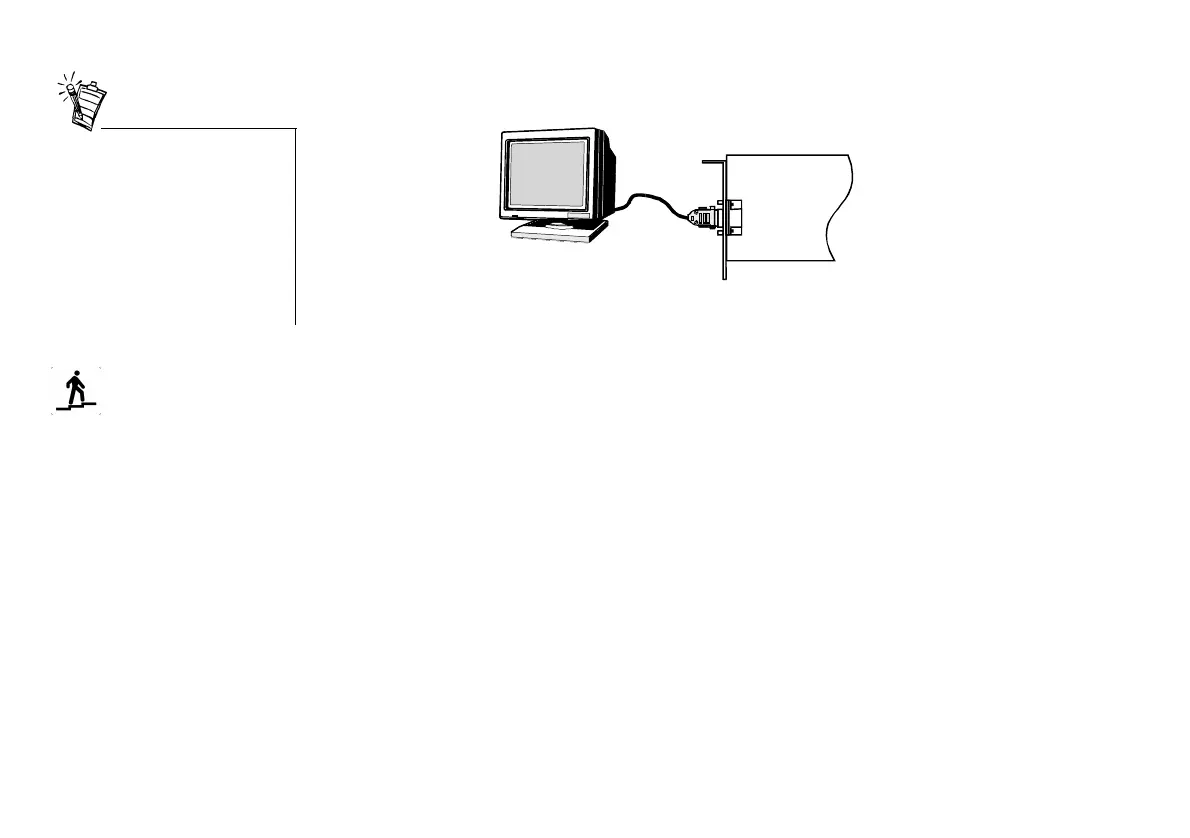
9. Connect the monitor cable to the VGA Out connector of the graphics card, as shown in
Figure 4.
10.Replace the computer cover and plug the power cord back into the wall outlet.
Step 2: Installing Software
After installing the graphics card, you can install the software. The 3D Blaster GeForce2 GTS
CD contains the following:
❑ Drivers for Windows 95 and Windows 98 (common to both)
❑ Drivers for Windows NT 4.0 and Windows 2000
❑ Creative Enhanced BlasterControl
™
for Windows 95 and Windows 98, Windows NT 4.0 and
Windows 2000
❑ E-Color Colorific
®
/3Deep
™
for Windows 95 and Windows 98
❑ Creative Lava!
™
Player for Windows 95 and Windows 98
❑ Game Launcher
This section is organized as follows:
❑ To install in Windows 95 (Retail version)
❑ To install in Windows 95 (OSR version 2.0 and later)
❑ To install in Windows 98
If you are using a multi-
frequency monitor, you may need
a special 15-pin DIN VGA cable.
If your multi-frequency monitor
allows you to switch between
‘TTL’ and ‘analog’ operation
modes, set the switch to ‘analog’.
For details, refer to your
monitor’s manual.
Figure 4: Connecting your VGA monitor to the graphics card.
VGA Out
connector
3D Blaster GeForce2 GTS
VGA Monitor
cable
VGA monitor



 To Next Page