Tutorials
Steinberg Cubase LE
E-MU 1212
m
/1820/1820
m
PCI Digital Audio System 13
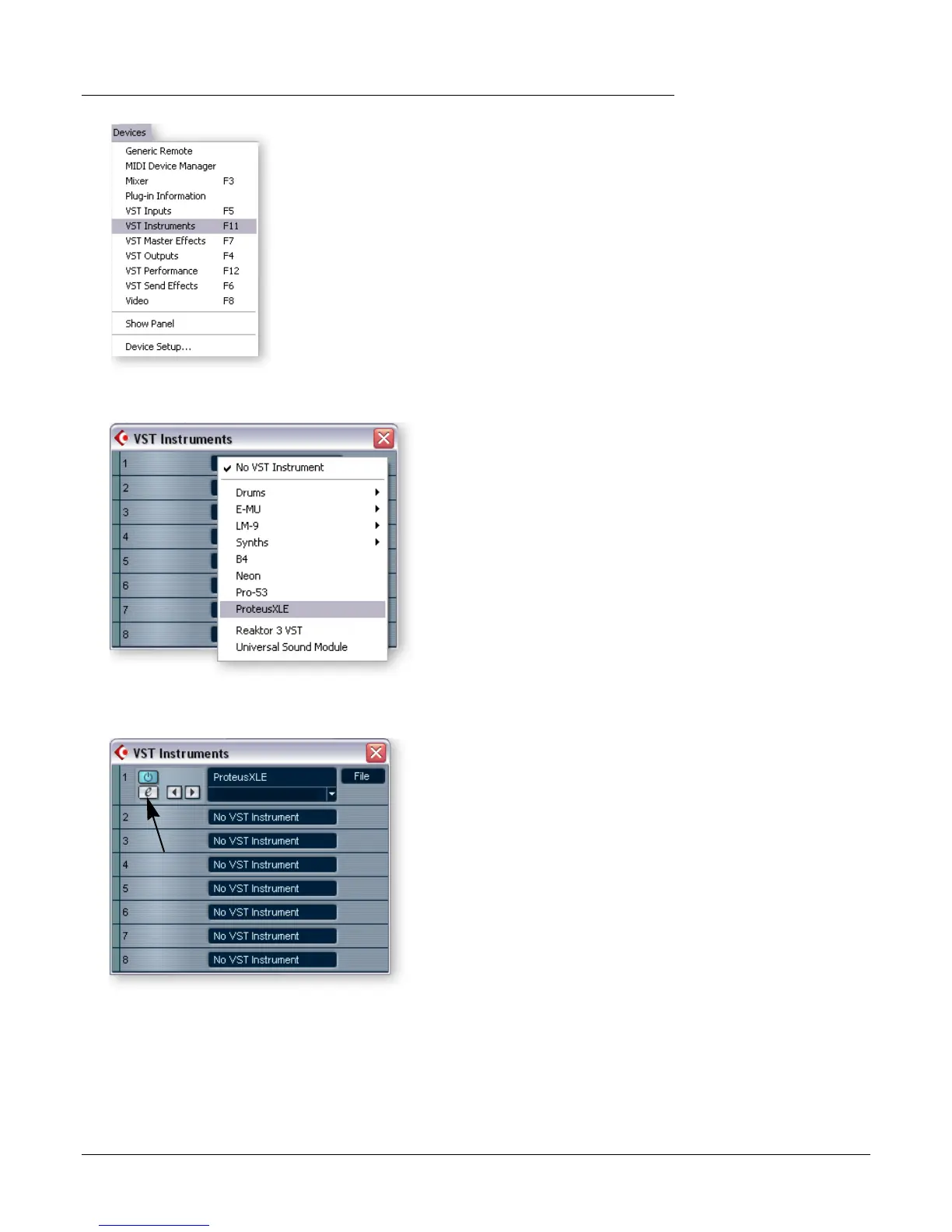
4. The VST Instruments window appears. Select ProteusXLE .
5. The VST Instruments window now looks like this.
f Tip: Unlike some
VSTi’s, Proteus X LE is
multitimbral, and able to
play up to 16 MIDI
channels at once.
It’s far more CPU-efficient
to have multiple MIDI
channels playing on one
instance of Proteus X LE,
rather than to have
multiple VSTi’s running.
6. Take a look at the Inspector area on the left side of the Cubase LE project window
(diagram on following page). The input to the MIDI track is connected to E-DSP
MIDI Port, but the Output is not yet connected to anything. Click on the Output
and select ProteusXLE. Now you’re ready to play.
Edit Button



 To Next Page