Tutorials
Cakewalk Sonar LE
E-MU 1212
m
/1820/1820
m
PCI Digital Audio System 25
f To go back to the
Track display, select
“Track” in the Window
menu.
2.
Play your song and use the Faders to set the levels of each part. (Note: These moves
can be automated in Sonar LE. See the Sonar LE pdf manual for details.)
Export Audio
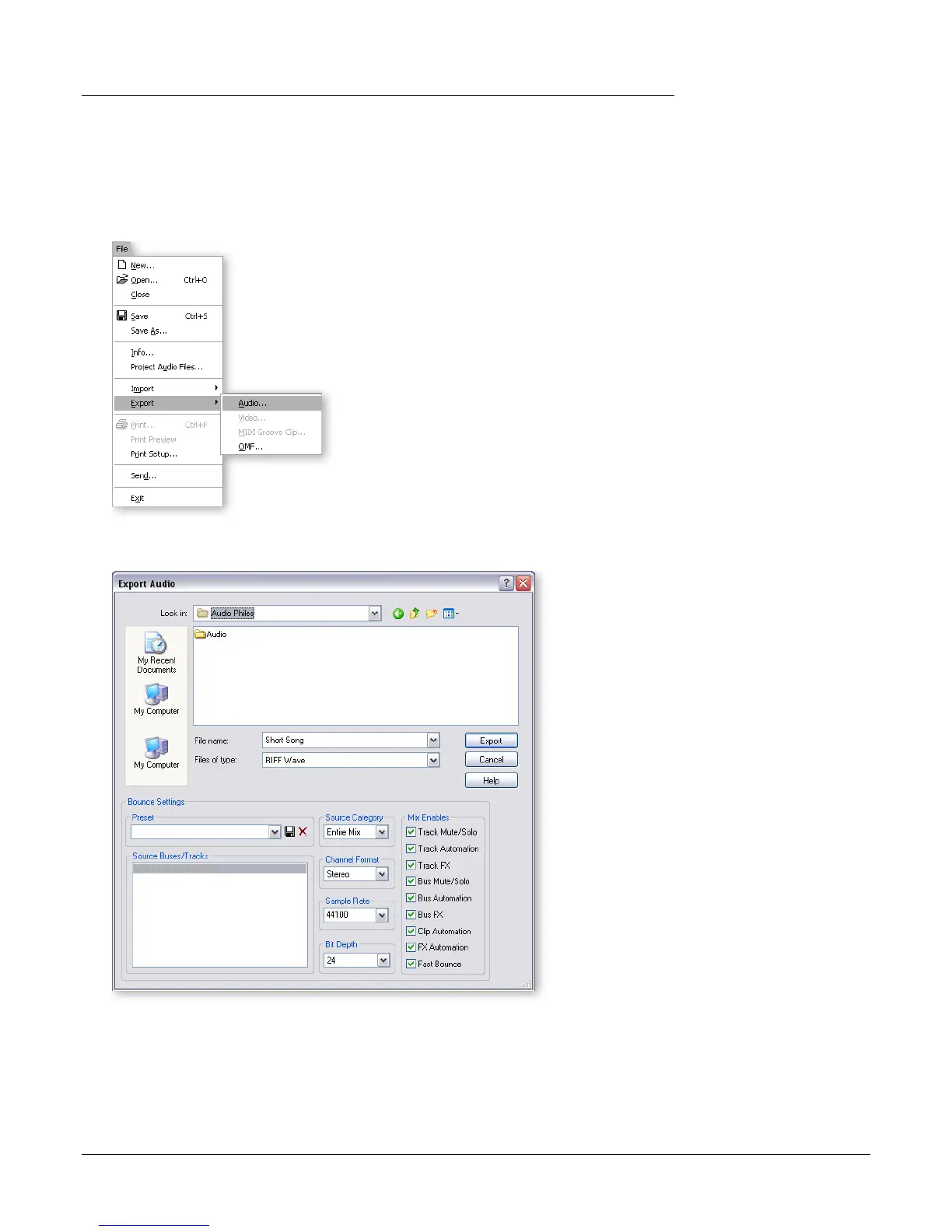
3. From the Sonar LE Project window, select Export from the File menu and choose
Audio.
4. The following screen appears. First choose a location for your file.
5. Next choose the file type. RIFF Wave or Broadcast Wav e are good choices for a
master file since they can be read by most other audio applications.
6. Select the desired Sample Rate, Channel Format and Bit Depth.
7. Press Export to process your Audio Mixdown.



 To Next Page