6
How To Use Your Player
Remember to unplug the USB Flash Drive from your computer and insert it into the battery
module before turning on the player. For more usage information, refer to the PDF User's
Guide. Go to d:\manual\<language>\manual.pdf (replace d:\ with the drive letter of your
CD\DVD-ROM drive and <language> with the language the document is in).
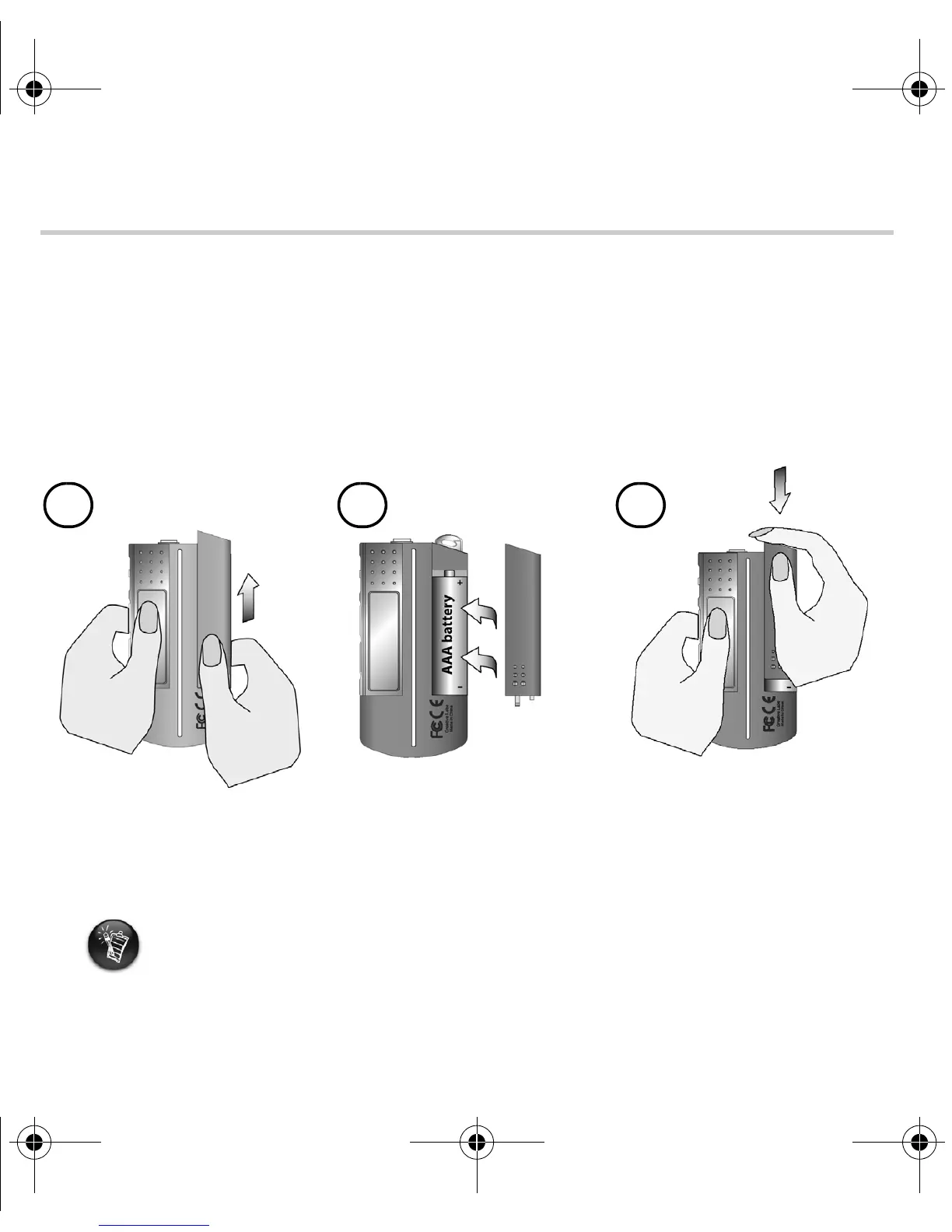
Inserting the battery
The life of a battery depends on the type of battery used. It is recommended that you use
an alkaline battery. With an alkaline battery, you can play up to fourteen hours worth of
.MP3 files or eleven hours of .WMA files.
a
b
c
MuVo TX FM QSB English 20th May.fm Page 6 Wednesday, May 19, 2004 4:44 PM













 To Next Page