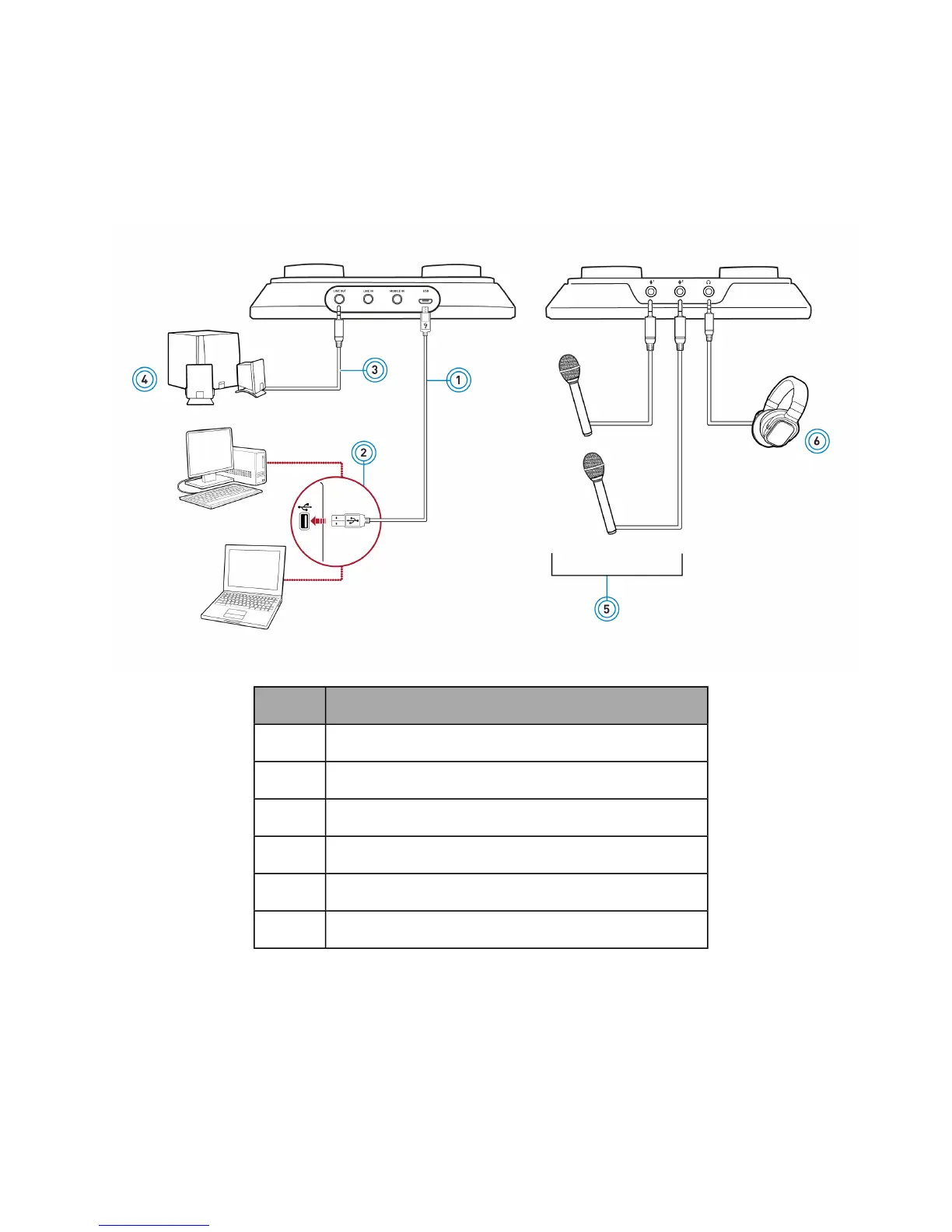
Singing Karaoke
To play karaoke music from external sources like computer or mobile device, connect the audio source
to the USB port or mobile-in jack of the audio device. Then, connect your microphone(s) to the mic-in
jack(s) and headphones to and headphone jack respectively.
Singing Karaoke on a Computer
Component
1 MicroUSB-to-USB cable
2 USBport
3 Analog speaker cable
4 Analog stereo speakers
5 Microphone(s)
6 Headphones
Note:
When headphones and a line-out device are connected simultaneously, audio will output to the
headphones.
Using Your Audio Device - 10 -


 To Next Page