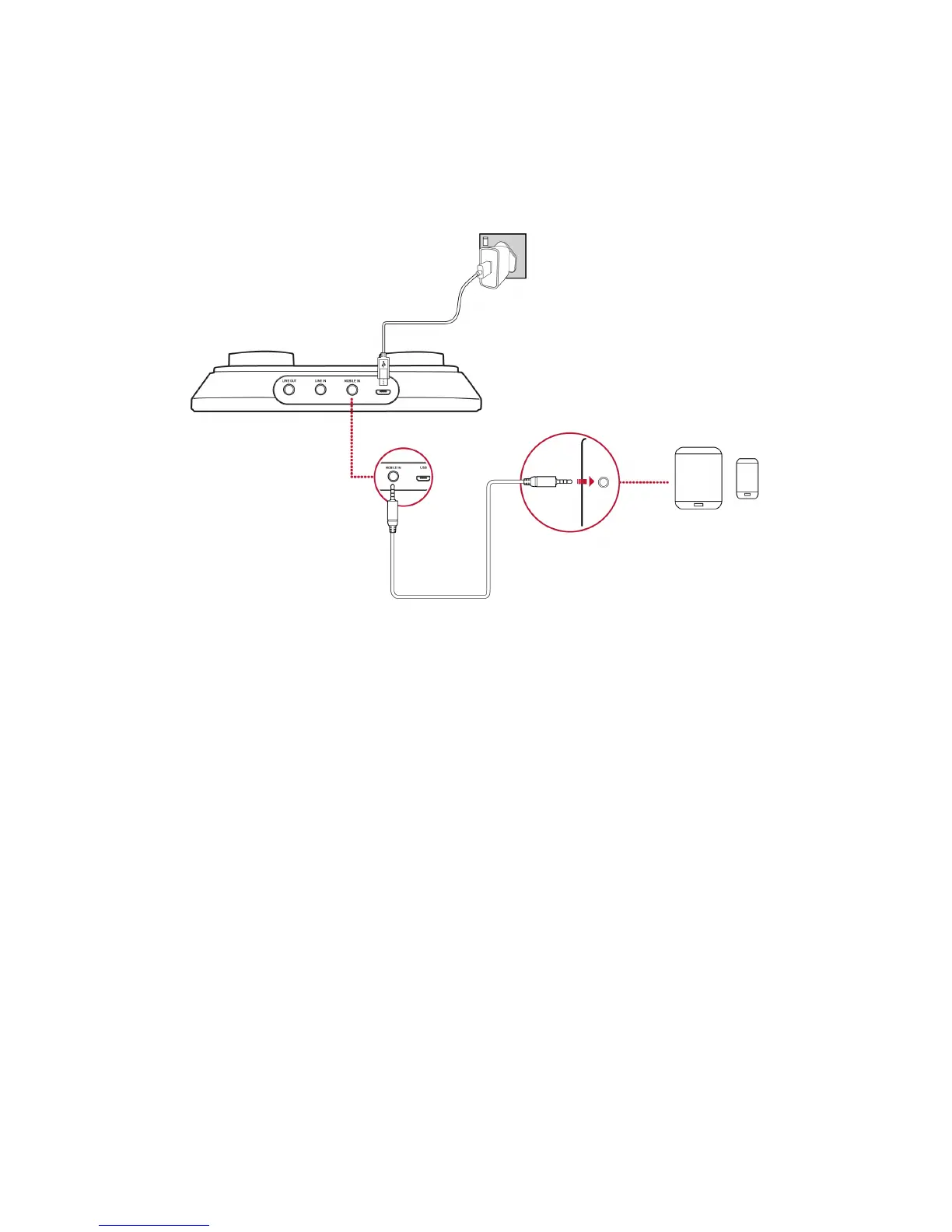
Connecting to a Mobile Device
Enjoy your favourite music from your mobile devices including iPhones, Android phones and tablets, by
connecting your mobile device to the mobile-in jack of the Sound Blaster R3/A6U using the 4-pole
analog cable provided.
To power up the USB audio device, connect an external power source, e.g. 5V 1A USBpower adapter to
the USBport.
Connect your microphone(s) and headphones/speakers to the audio device. You can now play music
directly from your mobile device and sing along to your favourite songs! For more information, refer to
Using Your Audio Device.
Setting Up Your Audio Device - 6 -


 To Next Page