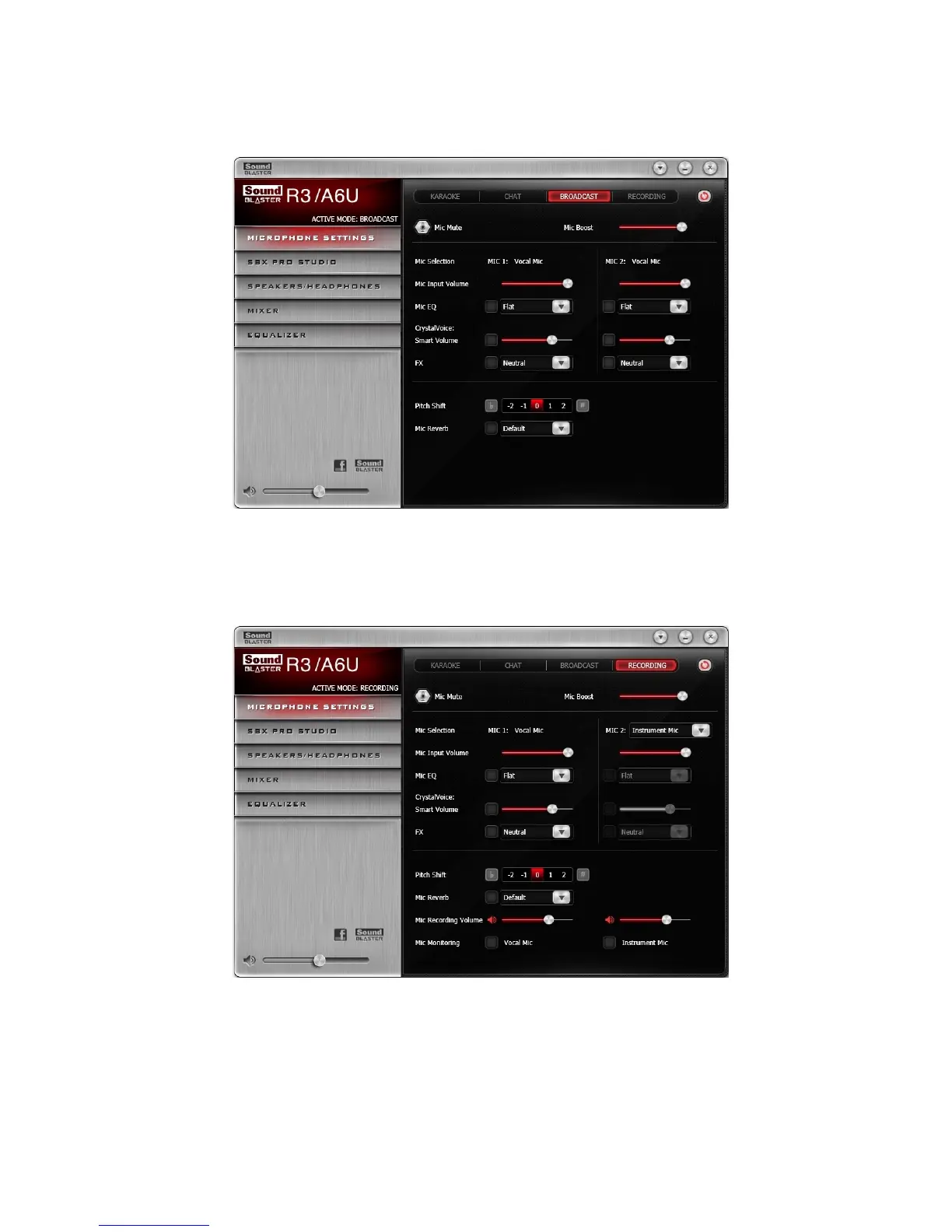
Broadcast Mode
Switch to Broadcast mode to perform online broadcasting with a third party broadcasting application.
Microphone Monitoring will always be turned off.
Recording Mode
Switch to Recording mode to make offline recordings with a recording application. Microphone
Monitoring and FX will be turned off by default. Users may record a singing session by using the bundled
microphones.
In Recording mode, different microphone sources can be chosen from MIC 2.
l Select Vocal Mic for voice recordings using the microphone.
l Select Instrument Mic for recording live instruments in high resolution (24-bit 48kHz).
Note:
When Instrument Mic is being selected, no microphone effect will be applied to the MIC 2 input. Both
line-in jack and mobile-in jack will be disabled.
Using the Creative Software Suite - 22 -


 To Next Page