Using Your Sound Blaster EVO USB 10
Answering and Ending Calls
When the headset is connected to your computer or mobile device, it goes into standby mode and
waits for calls passively. After you have ended a call, the headset returns to standby mode or resumes
your music.
The dual mic technology will be automatically enabled. The Voice Focus feature is able to pick up your
voice clearly while the Noise Reduction effect eliminates unwanted background noise from both ends
of a call. You may choose to morph your voice with special effects with the Voice FX too!
1. Answer or End a Call
When there's an incoming call from your mobile device while you are listening to music, the music
fades out and the ringtone will gradually be heard.
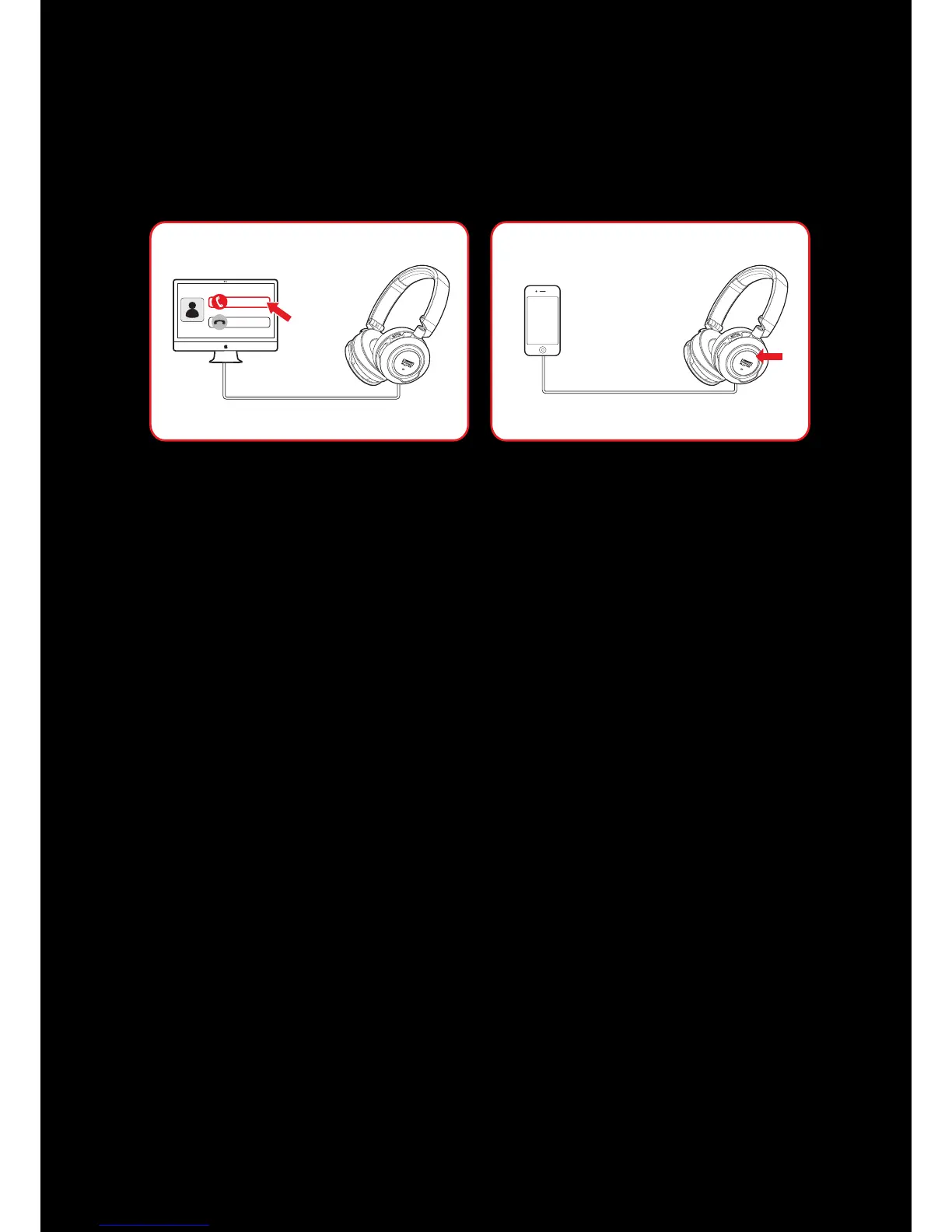
Tap on the Multifunction button once to answer the call, and tap on the same button again to end it.
The music will resume after the call has ended.
If the headset is connected to a computer, click on the answer call button prompted on the computer
screen to enter voice communication.
2. Redial Last Number
Press the Multifunction button twice to redial the last called number.
Note: This feature may vary depending on your phone and is not available in USB Digital Mode.
3. Activate Voice Command
To activate voice command (e.g. Siri), press and hold the Multifunction button for 3 seconds to
initiate the function.
Note: This feature may vary depending on your phone and is not available in USB Digital Mode.










 To Next Page