EasyManua.ls Logo

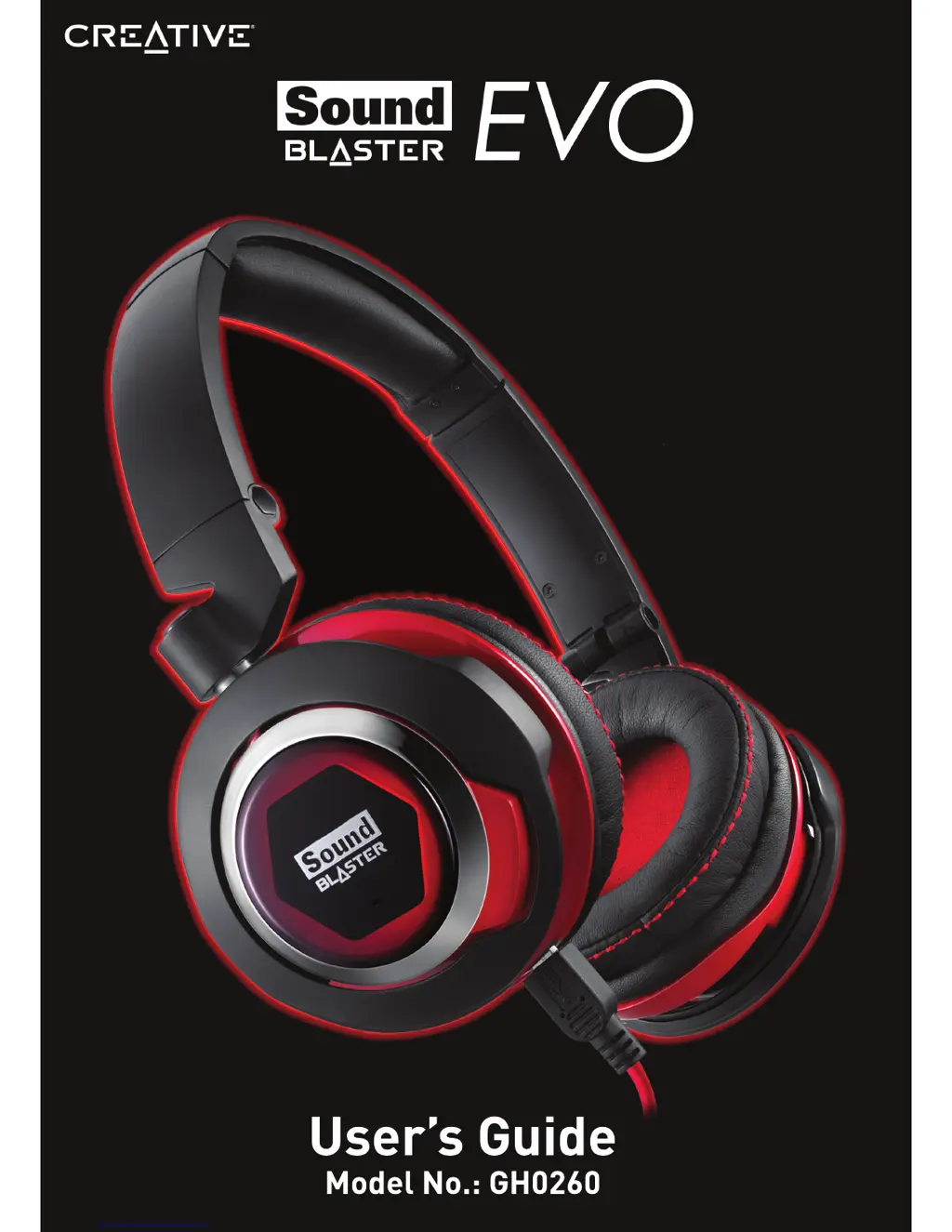
Creative Sound Blaster EVO - User Manual

Creative Sound Blaster EVO
40 pages
Print Icon
To Next Page IconTo Next Page
Loading...
Users Guide
Model No.: GH0260

Other manuals for Creative Sound Blaster EVO

Questions and Answers

  • J
    Julia ArmstrongJul 26, 2025
    What to do if there is no sound from Creative headsets?
    • K
      Kristin HarringtonJul 26, 2025
      If you are experiencing no sound from your Creative headset, check that the volume settings in the Sound Blaster EVO Control Panel and system audio are properly adjusted and not muted. Also, verify that there is no hardware conflict between the headset and any peripheral devices. Finally, confirm that the headset is selected as the default audio device, and ensure that any existing analog headsets are disconnected.
  • Y
    ygrayAug 6, 2025
    Why is there clipping or distortion during audio playback with Creative Sound Blaster EVO Headsets?
    • S
      stacey09Aug 6, 2025
      If you experience clipping or distortion during audio playback with your Creative headset, ensure your computer system is running in high-performance mode and disable any power-saving features. The music source itself might be distorted, so verify that the music being played has no distortion. Also, make sure that any software graphical equalizers or sound processing effects found in third-party media players are disabled.
  • J
    Jennifer ParkerAug 14, 2025
    Why are some features disabled when playing certain games with Creative headsets?
    • S
      Sharon SmithAug 14, 2025
      When playing games that use DirectSound3D or OpenAL sound engines, certain audio features will be disabled automatically.

Summary

Congratulations!

Package Checklist

Lists all items included in the Sound Blaster EVO USB package.

Minimum System Requirements

Details the necessary hardware and OS for the headset.

More Help

Using Creative Software AutoUpdate

Explains how to locate and install software updates.

Overview

Flexible Connection Options

Using Your Sound Blaster EVO USB

Step 1: Connect your headset

Instructions for physically connecting the headset to devices.

Step 2: Install the Software

Guide to downloading and installing the optional headset software.

Step 3: Use It

Basic instructions on wearing and using the headset.

Usage Scenarios

Playing Music or Movies

How to use the headset for media playback.

Answering and Ending Calls

Procedures for managing calls with the headset.

Using the Software

Using the Sound Blaster EVO Control Panel

Managing Your Profiles

How to activate and modify pre-configured audio profiles.

Configuring your general settings

Adjusting language and restoring default settings.

Enhancing the Audio - SBX Pro Studio

Enhancing the Microphone - CrystalVoice

Equalizer Settings

Headphones Settings

Mixer Settings

Advanced Features

Playing Games

Restoring Audio Effects in Games with Creative Alchemy

How to re-enable game audio effects.

General Specifications

Troubleshooting

What do the LED statuses mean?

Explains the meaning of different LED indicator lights.

No sound from the headset.

Troubleshooting steps for audio playback issues.

There is clipping;distortion during audio playback.

Steps to resolve audio distortion problems.

Some features are disabled when playing certain games.

Explains why certain features might be inactive.

Additional Guide for Windows Users

Safety Information

Avoid Hearing Damage

Provides guidance on safe listening volumes to prevent hearing loss.

Notice for the USA

FCC Part 15:

Details compliance with US Federal Communications Commission rules for devices.

Notice for Canada

European Compliance

Vietnam RoHS Statement

License and Copyright

Creative Sound Blaster EVO Specifications

General IconGeneral
Driver Size50 mm
Frequency Response20 Hz - 20 kHz
Battery Life8 hours
TypeOver-ear
ConnectivityBluetooth, USB, 3.5mm jack
MicrophoneYes
Noise CancellationYes
CompatibilityPC, Mac

Related product manuals