Using Your Sound Blaster EVO USB 5
Using Your Sound Blaster EVO USB
Set up your headset in three simple steps:
1. Connect your headset
2. Install the software
3. Use it
Step 1: Connect your headset
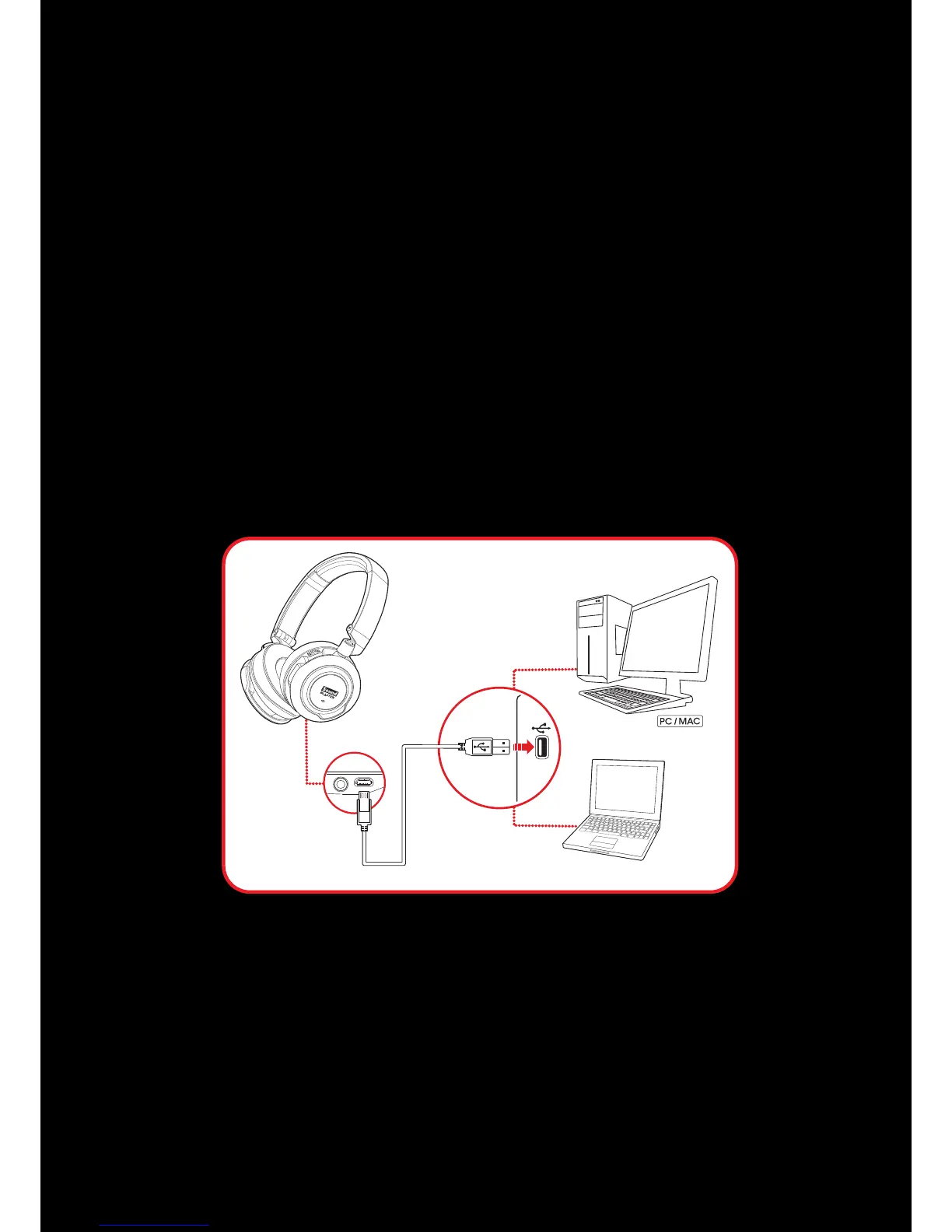
Connecting to a Computer (USBDigital Mode)
Connect your headset to a computer using the MicroUSB to USB cable. The LED will light up in red once
the headset is properly connected. Experience the power of Sound Blaster with all your games and
calls, on your PC and Mac.
Note:
The Sound Blaster audio processing is only available when the headset is connected via
USBDigital Mode.
Set the default audio device (for Mac only)
1. Go to System Preferences and click Sound.
2. Select Sound Blaster EVO USB in both the Output and Input tabs.










 To Next Page