Using Your Sound Blaster EVO USB 9
Usage Scenarios
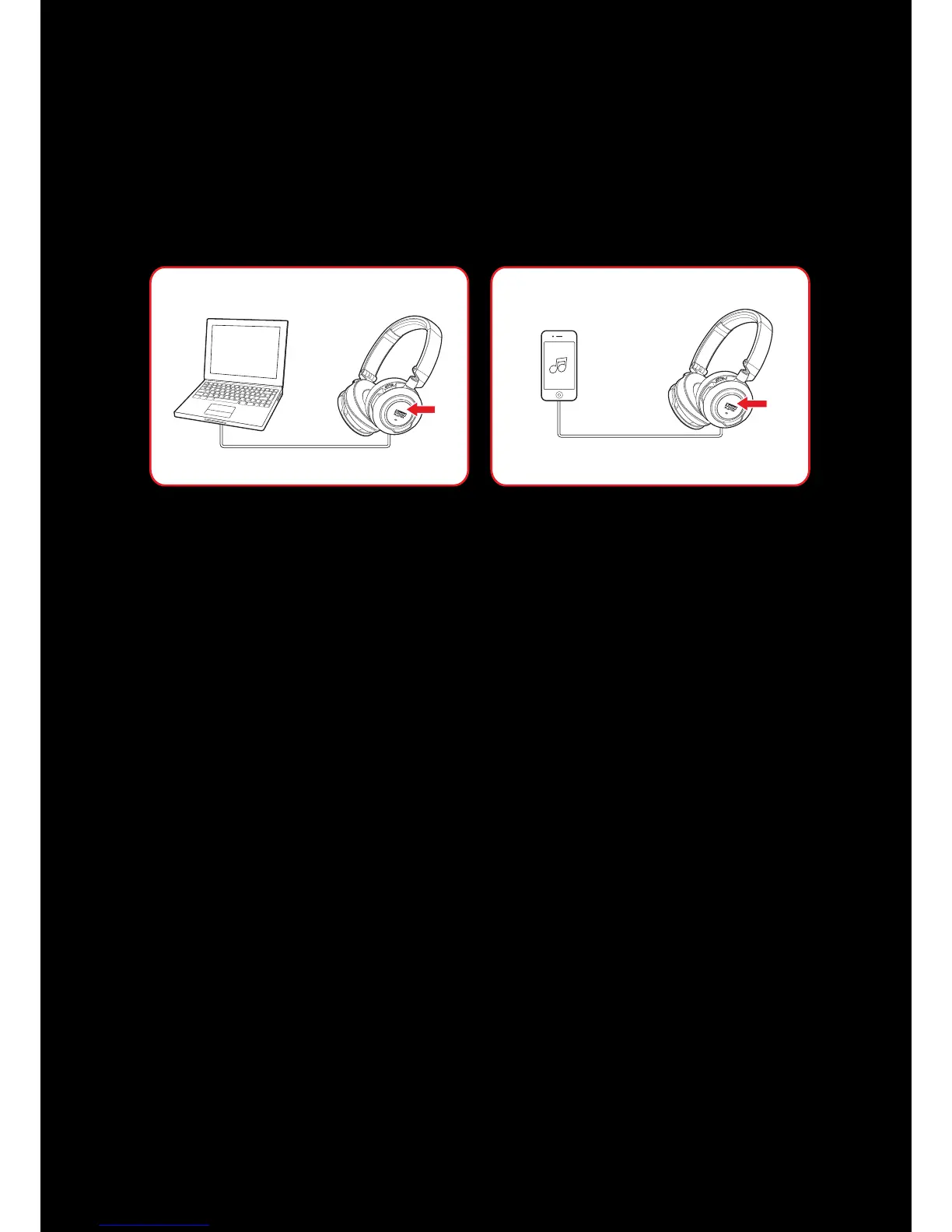
Playing Music or Movies
Connect your Sound Blaster EVO USB to your computer via USB to enjoy the legendary Sound Blaster
audio quality. Alternatively, you may now connect it to a portable entertainment device such as mobile
phones and tablets and enjoy clear audio quality on the go.
The SBX Dialog Plus feature brings out the dialog in movies for maximum clarity, while the SBX Bass
fills extends the low frequency tones and gives the extra impact for a dramatically improved sound
experience. The SBX Surround enhances your movie or music playback by producing virtual speakers
around, above and below you, creating an immersive audio experience.
1. Play or Pause Music
Tap on the Multifunction button once to play music and again to pause it. Similarly, tap on the same
button to resume.
2. Adjusting Volume
Adjust the volume control to increase or decrease the music level.
Note: Not applicable in 4-Pole Analog Mode.










 To Next Page