Using the Software 13
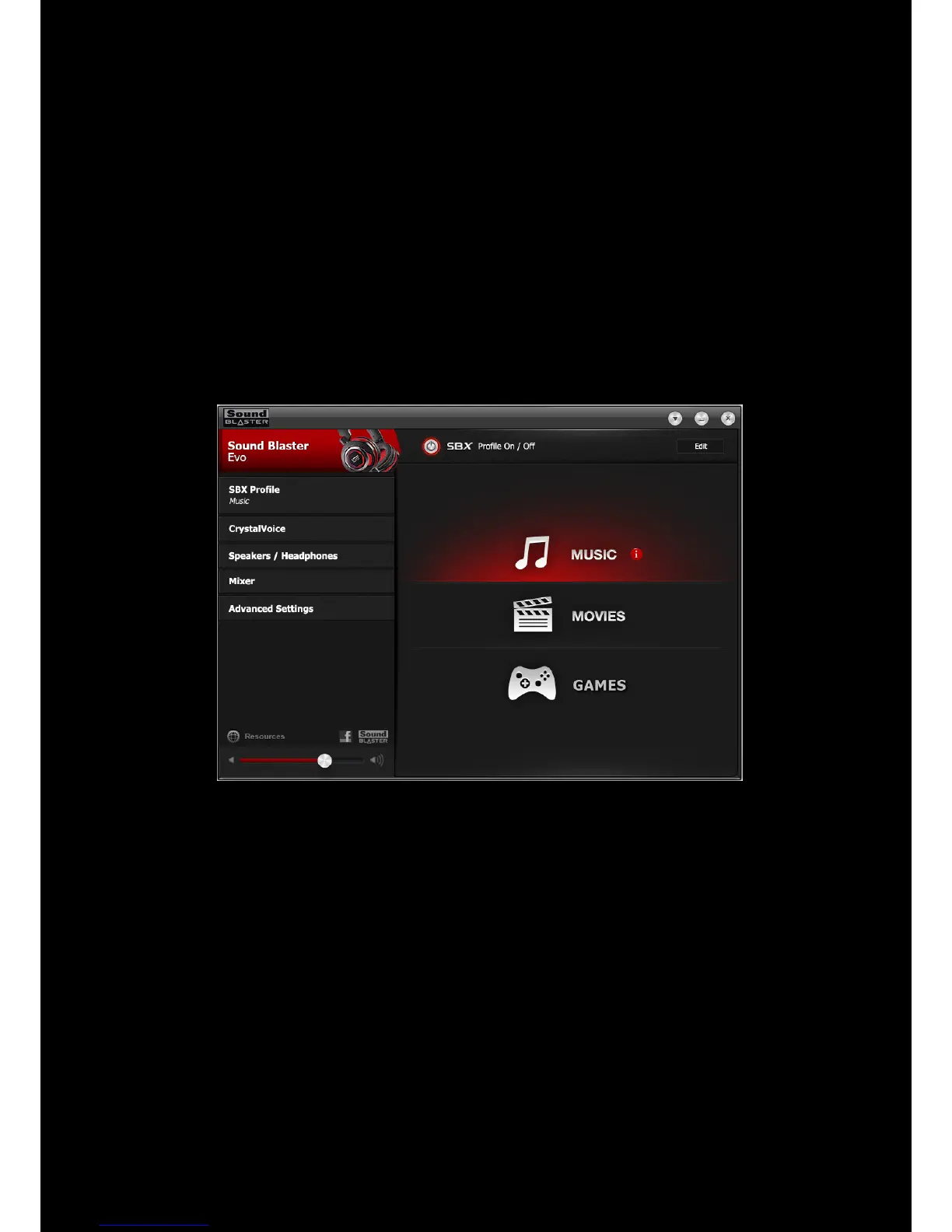
Using the Sound Blaster EVO Control Panel
The rest of this chapter explains how to use the Sound Blaster EVO Control Panel to view and adjust
the various features of your Sound Blaster EVO USB. The examples and screenshots below uses
Windows as an example. The user interface for other operating systems may differ slightly.
Managing Your Profiles
The Sound Blaster EVO Control Panel comes equipped with a set of pre-configured profiles to suit your
different needs including:
l Music
l Movies
l Gaming
To activate a profile,
1. Click the SBX Profile menu to view the SBXProfile screen.
2. Select your desired profile from the screen.
To modify and save changes to the active profile,
1. Click the Edit button to modify the profile you have selected.
2. Navigate through the various other menu options of the Sound Blaster EVO Control Panel and
modify the configurations as desired.











 To Next Page