THE SOUND BLASTER ROAR 2 PRODUCT GUIDE 16
EXPERIENCING THE SOUND BLASTER ROAR 2
PLUS A WHOLE ARRAY OF MIND-SHATTERING FEATURES! (cont.)
Performance aside, the Sound Blaster Roar 2 also has many added features.
/ TeraBass
For added boost
Connecting the Sound Blaster Roar 2 to the power
adapter gives your music added volume boost. It is
recommended to use a power adapter when using
the feature.
TeraBass
TeraBass +
Green
White
LED
Status
Like our in-house reference systems,
the Sound Blaster Roar 2 is tuned to be
accurate, balanced, and well defined,
while delivering full spectral output at
maximium levels with minimal or no
compression. (NOT common in many
battery operated portables).
At low level listening conditions,
some people may perceive audio
differently. Be it being less sensitive to
bass reproduction, in less than ideal
environments or strictly personal
preference.
The TeraBass feature intelligently
compensates the loss of perceived
loudness in bass during low level
playback without artificially over
accentuating bass levels.
However when sheer audio power is
needed – such as large parties and
social gatherings – the mode
instantly boost the loudness, depth and
spaciousness of the audio. Simply just
togglebetweenthem!
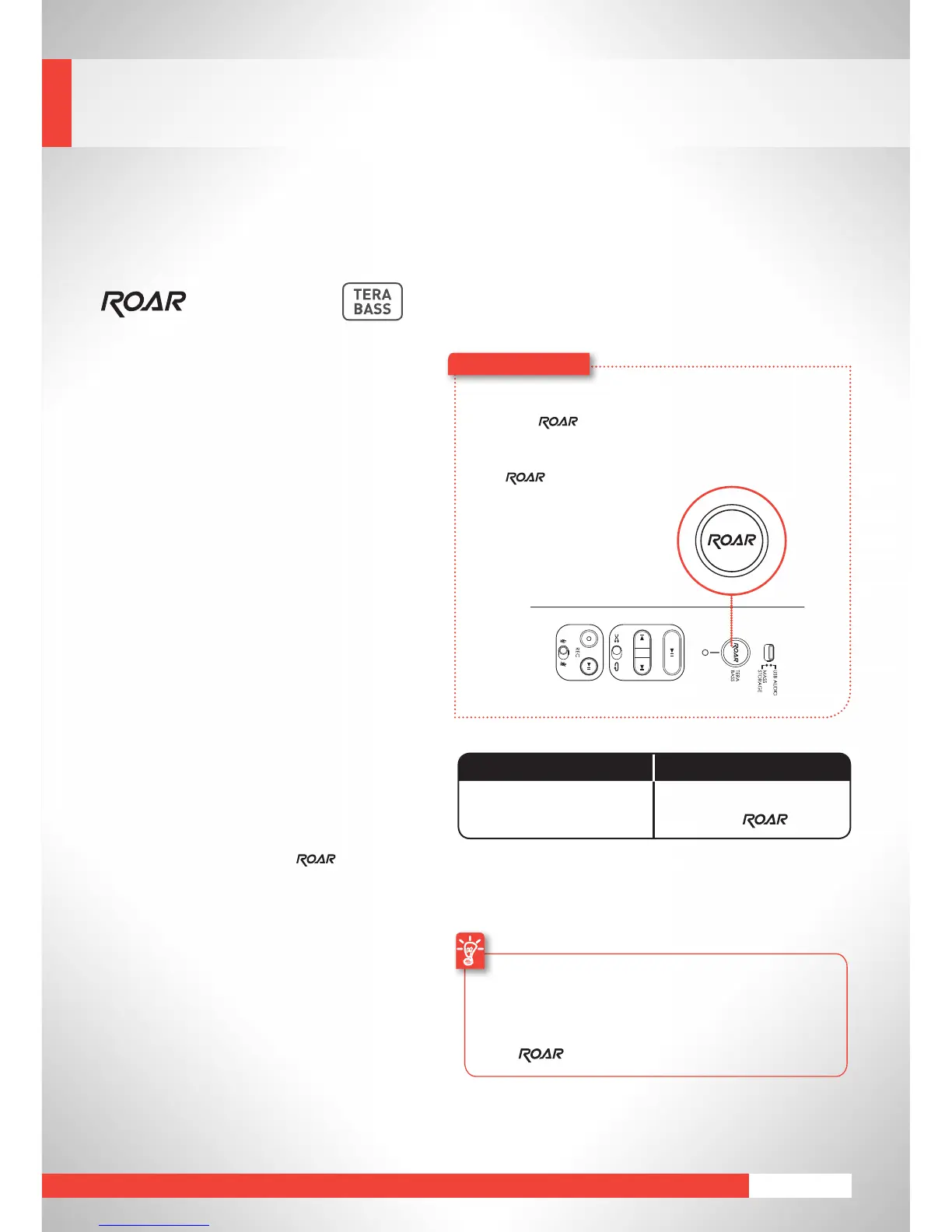
Here’showyoudoit!
Totogglebetweenmodes,simplyjust
press the button.
TogglesfromTeraBassON->TeraBass
withON->OFF










 To Next Page