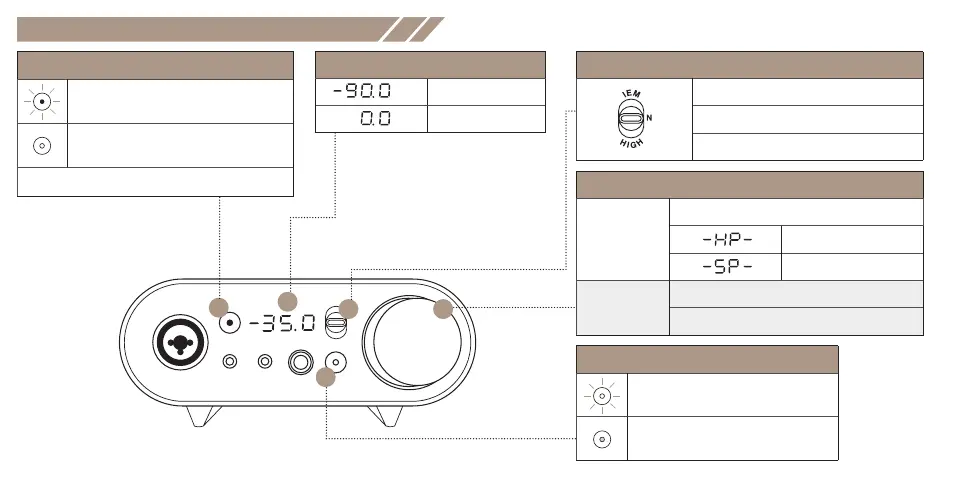
Display & Control Interface
DC
A
(D) Volume Knob
Press and hold
for 2 secs
Switch between the headphone and speaker output
Headphone Mode
Speaker Mode
Press and hold
for 4 secs
Turn off volume LED
Turn on volume LED
(C) Headphone Impedance Selector Switch
IEM: 16 - 31Ω in-ear monitor
Normal(N): 32 - 149 Ω in-ear / headphones
High: 150 - 600 Ω headphones
(E) SBX Button
ON: SBX Acoustic Engine is switched ON
OFF: SBX Acoustic Engine is switched OFF
(A) +48V Button
ON: Enable +48V Phantom power to XLR mic
OFF: Disable +48V Phantom power to XLR mic
+48V Phantom power is available on XLR connector only.
E
B
(B) Volume Display
dB Min.
dB Max.











 To Next Page