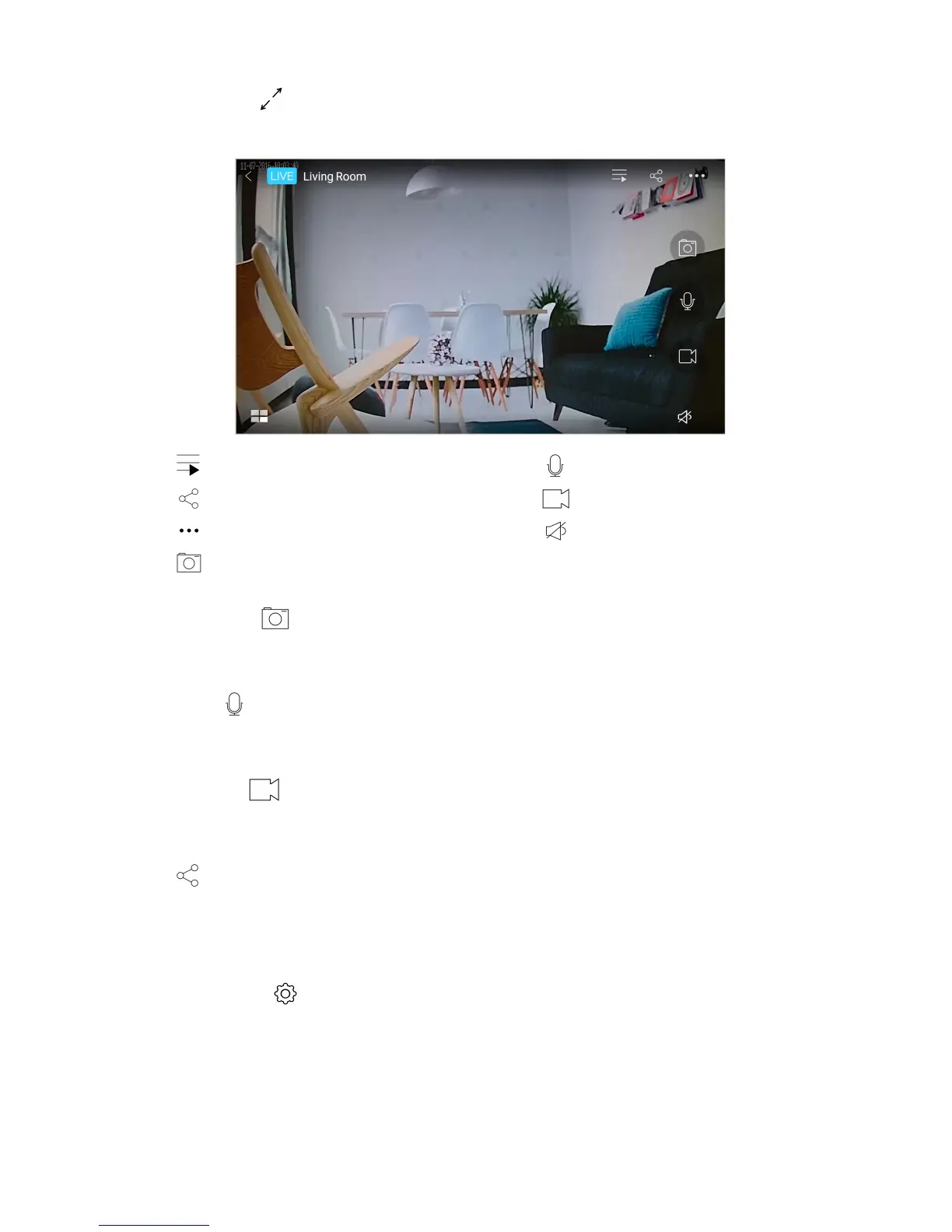
5. Full screen view
Display the live feed in full screen.
list of cameras push to talk
share record video*
more (video quality and screen rotation) on/off camera microphone
take snapshot*
6. Take snapshot*
Take a snapshot of the live video playback.
7. Push to talk
Tap and hold to talk through the camera via your smart device.
8. Record video*
Tap to start recording. Tap again to stop.
9. Share
Share your camera with your family or friends.
To manage your shared cameras, see Manage Sharing.
10. Camera settings
Configure your camera, set alerts, schedule recordings and more.
Note:
* The file will be saved into your smart device.
Live! Cam IP SmartHD (VF0820) – Using Your Device 11


 To Next Page