2
Using the Scroller
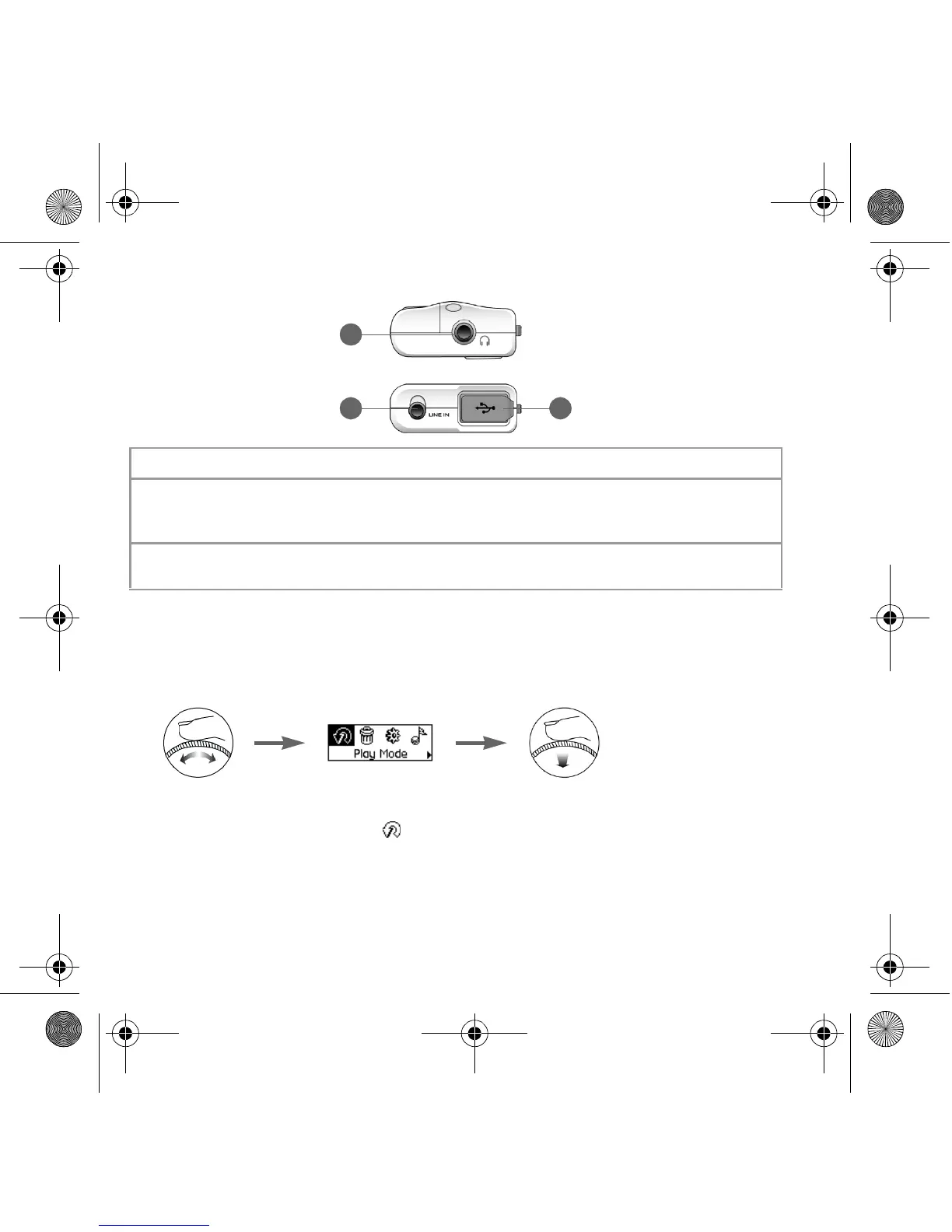
You can use the scroller to select menu options. We use the term “Scroll Select” when we
want you to use the Scroller to scroll to a menu option, and then select it by pressing the
Scroller.
1. Turn the Scroller to scroll through menu options on your LCD until the option that
you want, such as Play Mode , is highlighted.
2. Press the Scroller to select this menu option.
7. Headphone jack
Connect headphones to this jack.
8. Line In jack
Connect external stereo sources, such as cassette players, CD
players and MiniDisc players, to this jack. Note that this is not a
digital (optical) input jack.
9. USB port
Connect your computer to this port using the supplied USB
cable.
8
7
9
Zen Nano Plus CLE_QS.book Page 2 Tuesday, May 10, 2005 10:48 AM










 To Next Page