4
2
2
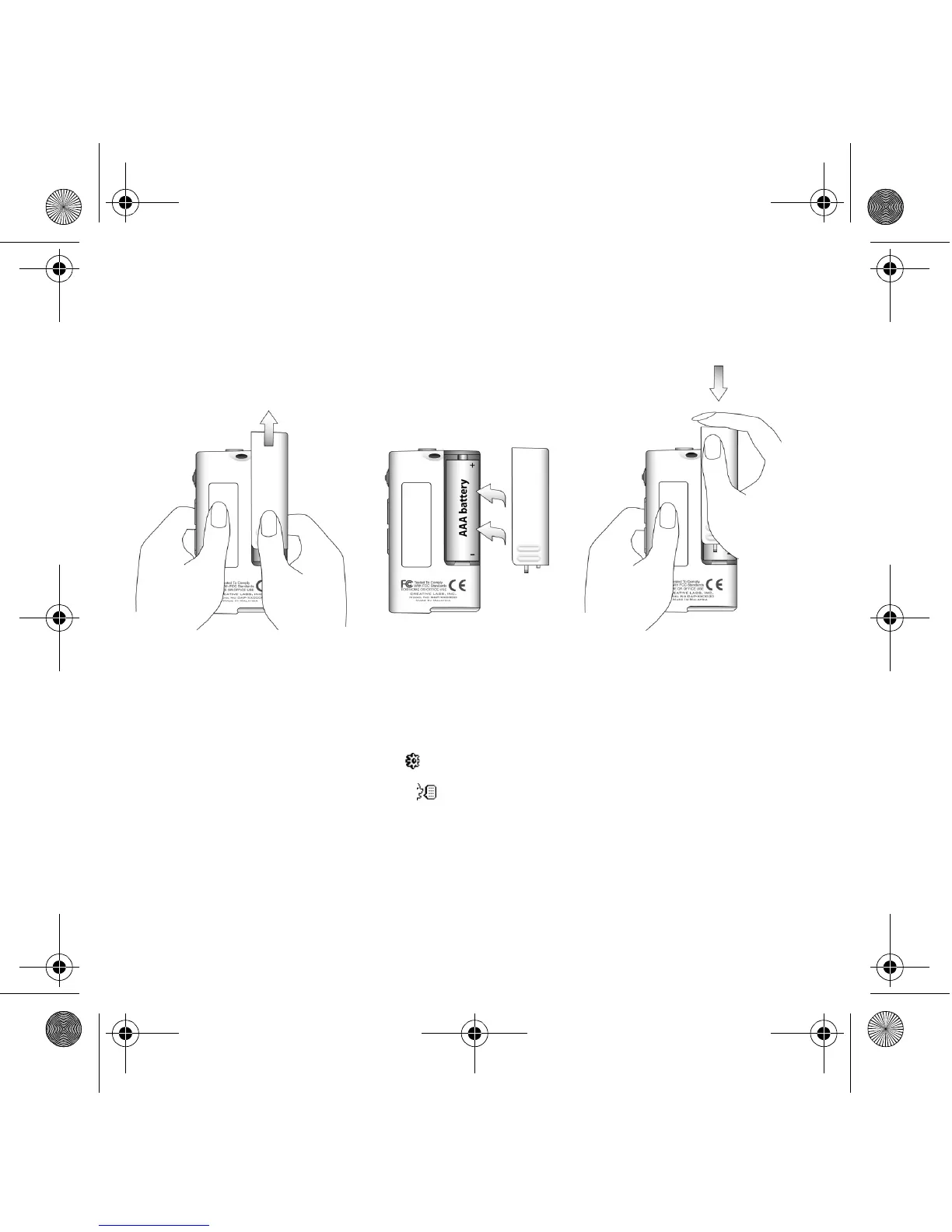
Insert battery
Use one AAA alkaline battery with your player.
When you turn on your player for the first time, the menu will be in English.
To change the language
1. Press the Scroller. The main menu appears.
2. Scroll Select the Settings option .
3. Scroll Select the Language option .
4. Scroll Select the language that you want.
Zen Nano Plus CLE_QS.book Page 4 Tuesday, May 10, 2005 10:48 AM










 To Next Page