5
3
3
Transfer music
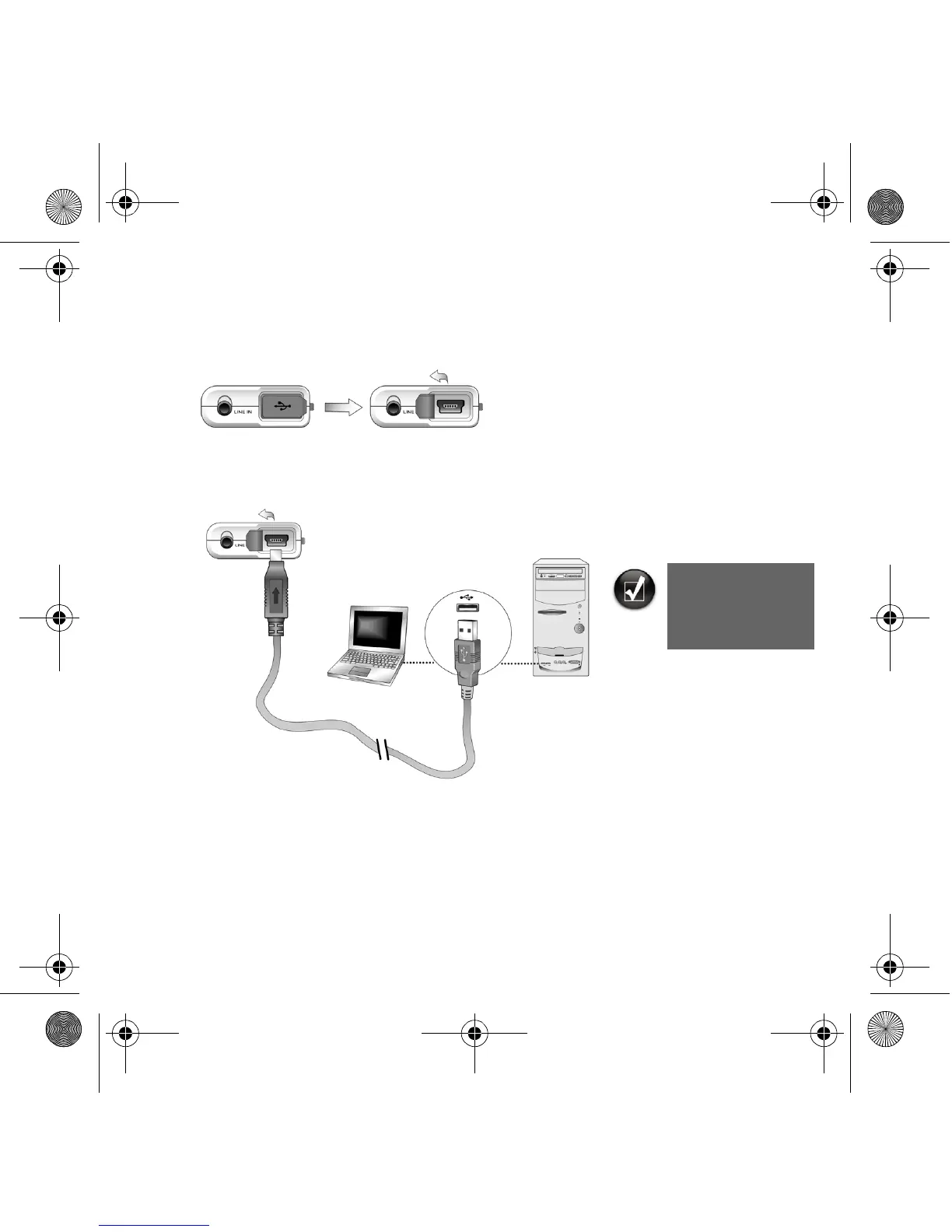
1. Flip open the rubber cover of your player’s USB port.
2. Connect your player to your computer’s USB port using the supplied USB cable.
Do not press the buttons on your player while connecting it to your computer.
3. Start Windows Explorer on your computer.
You will notice that your player is recognized as a Removable Disk in Windows
Explorer.
Your computer’s
USB port may be
located on the front,
back or side panels.
Zen Nano Plus CLE_QS.book Page 5 Tuesday, May 10, 2005 10:48 AM










 To Next Page