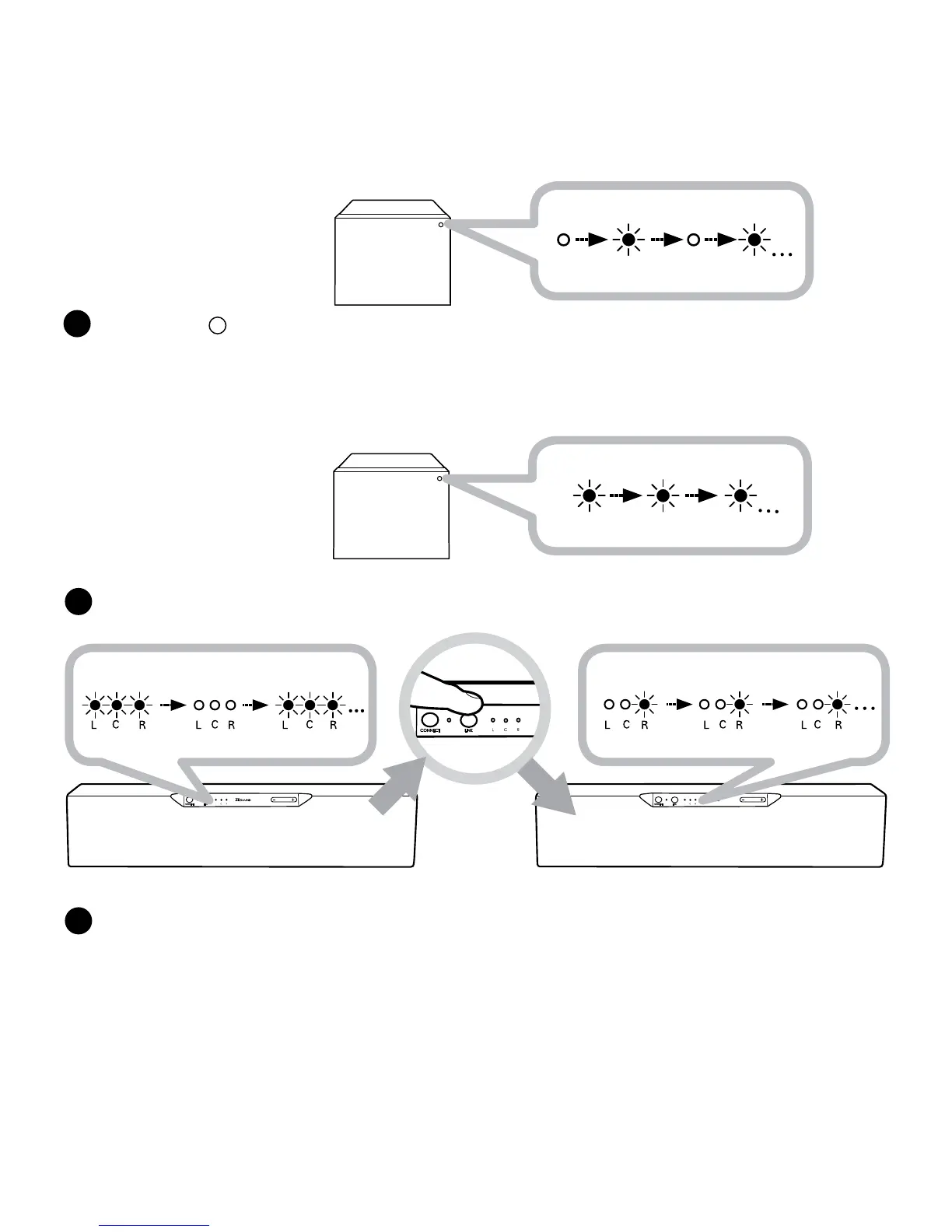
IftheZiiSoundD3x(RightChannel)MasterspeakerLINKLEDisstillRapidlyBlinking,Pressthe
LINKButtononcetostoporwaitforittotimeout.ThespeakersarenowinMultiChannelmode.
Linkestablishmentcomplete.ReadytoStreammusic.
Note:
1) TheLinkfeatureonthisD3xisonlycompatiblewithotherZiiSoundD3xspeakersandZiiSoundDSxwirelesssubwoofer.
2) Volumecontrol,AUX-IN,CONNECTandVolumeButtonoperationsarenotavailablefortheLEFTandCENTERChannelswhenthe
LINKisactive.
F
TheZiiSoundDSxarelinkedwhentheLEDstatusindicatorontheDSxareLitSteady.
Jump to step
Gshouldnowirelesssubwooferarerequiredtobelinked.
SettheZiiSoundDSxwirelesssubwoofertoLINKDiscoverablemodebyholdingtheLinkbuttonfor4
secondandreleasingwhentheLINKLEDblinksonce.Fordetailedinstructions,refertotheZiiSound
DSxUsermanual.TheMasterD3xspeakerwillautomaticallyconnecttheDSxwirelesssubwooferwhile
theD3xLINKLEDisstillrapidlyblinking.






 To Next Page