Section 5 : Tips, Tricks and FAQ
Perform the following trouble-shooting steps before sending it for servicing.
To download the user guide or find out more information about our product,
please refer to support.creative.com
5.1
Speaker FAQ
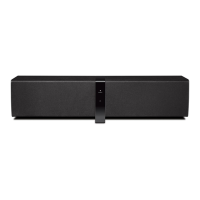
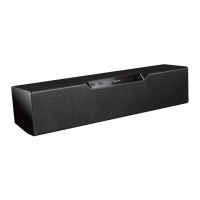
What are the indicators that indicate my ZiiSound D3x is Powered ON.
Forthemasterspeaker,theVolumeLEDindicatorarelitwhentheZiiSoundD3xispoweredON.
ThisisthebestindicationyourspeakerisPoweredON.
Fortheotherlinkedspeakers,pressandholdthePowerON/Standbybuttontoinitiatespeaker
identicationmode.Thiswillindicatewhatchannelmodethespeakerisin.
Is there any power saving features from the ZiiSound D3x?
Yes,theRIGHTMasterspeakerwillenterstandbyautomaticallyaftermorethan10minutesofzero
activityfromboth,the
Bluetooth
*andAUX-IN**sources.Itwillalsoinstructotherspeakersand
subwooferlinkedtotheRIGHTmasterspeakertoenterstandbytosavepower.
* Powersavingmodeonlyapplicablewhenno
Bluetooth
connectionisdetectedfor10minutes.
** PowersavingmodeonlyapplicablewhenthereisnoaudioontheAUX-INinput.
5.2
Bluetooth
FAQ
There’s no
Bluetooth
link between my device and the ZiiSound D3x. What should I do?
- DeletetheZiiSoundD3xorZiiSoundD3xSystemnameentryfromyour
Bluetooth
device paired memory
list and perform the steps in Section1.2(EnjoyaudiofromStereo
Bluetooth
devices)tore-pairyour
device with ZiiSound D3x
- Positionthemwithin1meterorclosertoeachotherifyouexperiencepairingdifculties
- Ensurethatbothyour
Bluetooth
device and ZiiSound D3x are not connected to any other devices
Bluetooth
link is established and paired between the devices but there’s no music. What should I do?
Withsomebuilt-in
Bluetooth
Stereoenabledcomputers,3rdpartyUSB
Bluetooth
dongles or other
devices,youmayberequiredtomanuallyspecify/setuptheaudiooutputasZiiSoundD3x,e.g.,
(undersoundandaudiodevicessectiononyourcomputer’soperatingsystem)Pleaseconsultyour
manufacturer’sdocumentationforfurtherinformation
A
B






 To Next Page