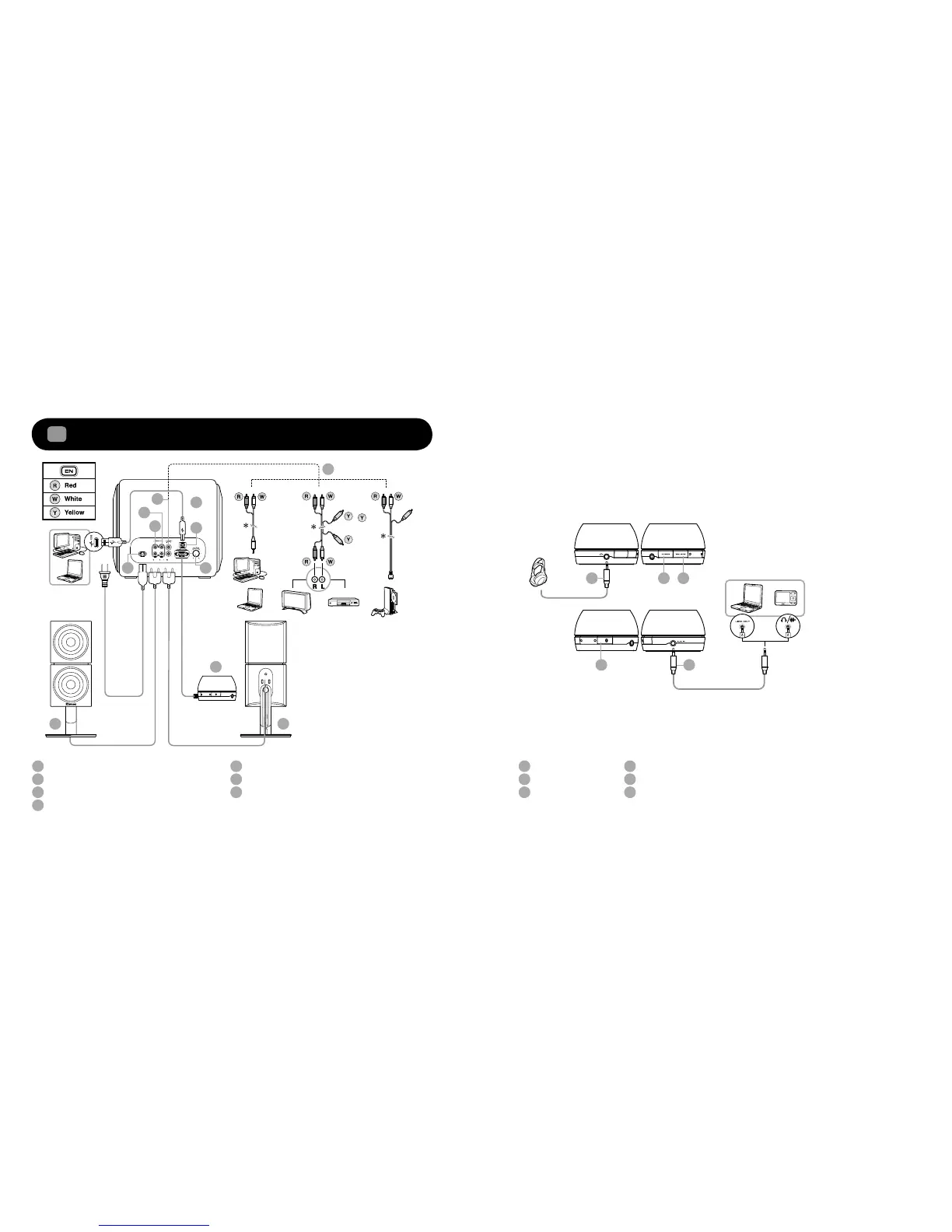
Product Overview / Connectivity Diagram
1
AC IN
Right Satellite Speaker
Left Satellite Speaker
Audio In - To analog audio in
1
2
3
4
5
6
7
8
CONNECT Button –
Bluetooth
Pair and Connection
AUX In – Auxiliary line-in for Audio Devices
SLAM
™
Subwoofer
9
10
11
12
13
13
12
Side views of the Audio Control Pod:
1
2
3
4
5
6
7
4
2 3
8
9
10
11
Audio Control Pod LED status
indications:
GREEN – Line-In/ AUX In
AMBER – USB Audio
BLUE –
Bluetooth
Connection
* optional (sold separately)
USB – USB Audio
Audio Control Pod
Bass Level Control
Headphone
Power ON/OFF
Source
* optional (sold separately)
*










 To Next Page