Home
Creative
Speakers
ZiiSound T6
Page 9 (Mac OS X 5.1 Audio Setup)
Creative ZiiSound T6 - Mac OS X 5.1 Audio Setup
12 pages
Manual
Save Page as PDF
To Next Page
To Next Page
To Previous Page
To Previous Page
Loading...
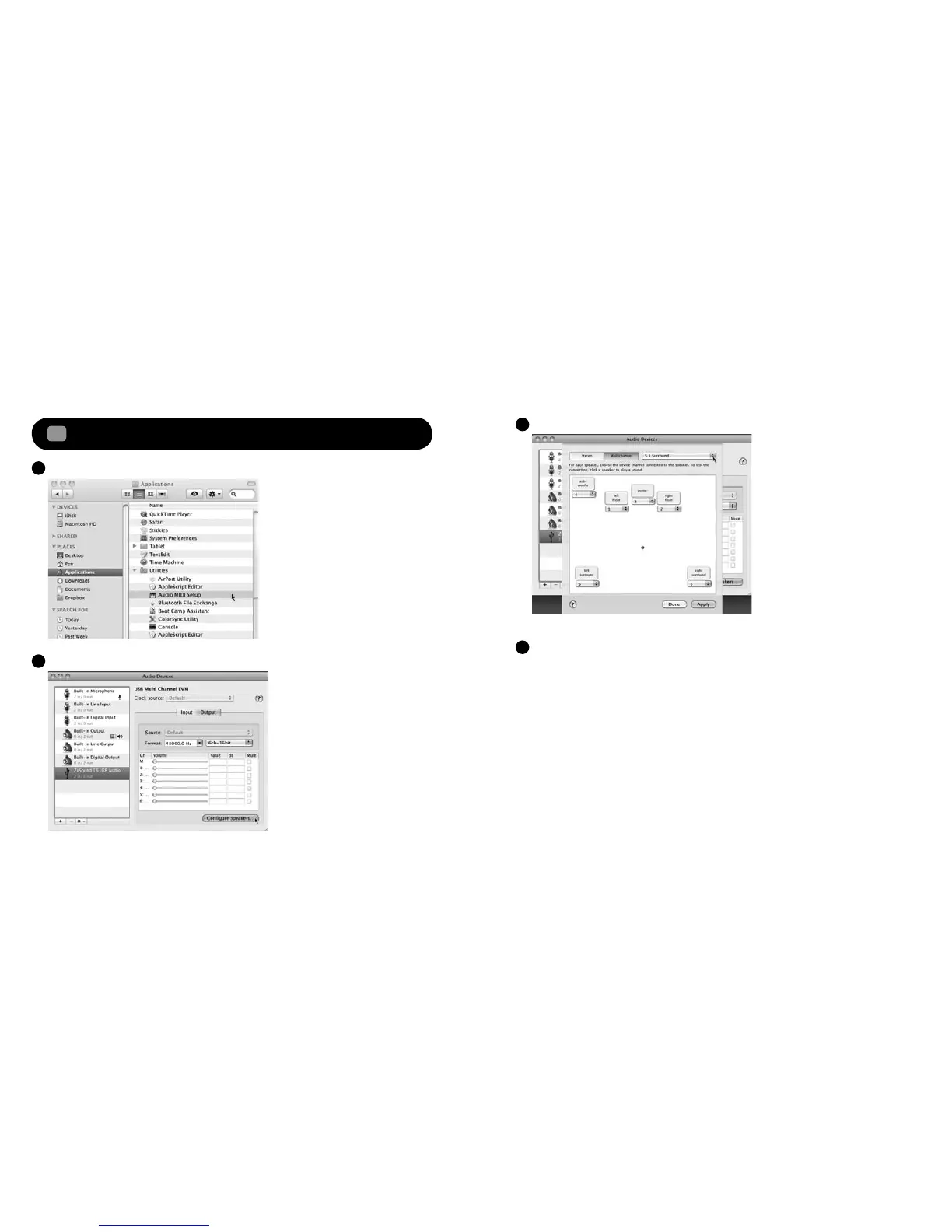
Open the Applications, Utilities then Audio MIDI Setup.
A
Select on ZiiSound T6 USB Audio, click on Output, click on Configur
e Speakers
B
Select 5.1 Surr
ound, click Apply and then click Done.
C
Close all panels.
Y
our ZiiSound T6 is now ready for use.
D
16
17
Mac OS
®
X audio setup
9
.
3
8
10
Table of Contents
Main Page
Remote Control Overview
4
Switching between Paired Devices
5
Reset to Factory Setting
5
Windows Vista / 7 Setup
8
Audio Setup
9
Related product manuals
Creative Omni
8 pages
Creative D200
1 page
Creative A550
2 pages
Creative iRoar
52 pages
Creative iRoar Go
16 pages
Creative Pebble V3
4 pages
Creative Inspire T10
2 pages
Creative T15 Wireless
2 pages
Creative GigaWorks T40
2 pages
Creative Sound Blaster FREE
2 pages
Creative SOUND BLASTER ROAR 2
24 pages
Creative GigaWorks T40 Series II
2 pages









 To Next Page