Creator C310+ BM Multi-system Scanner
24
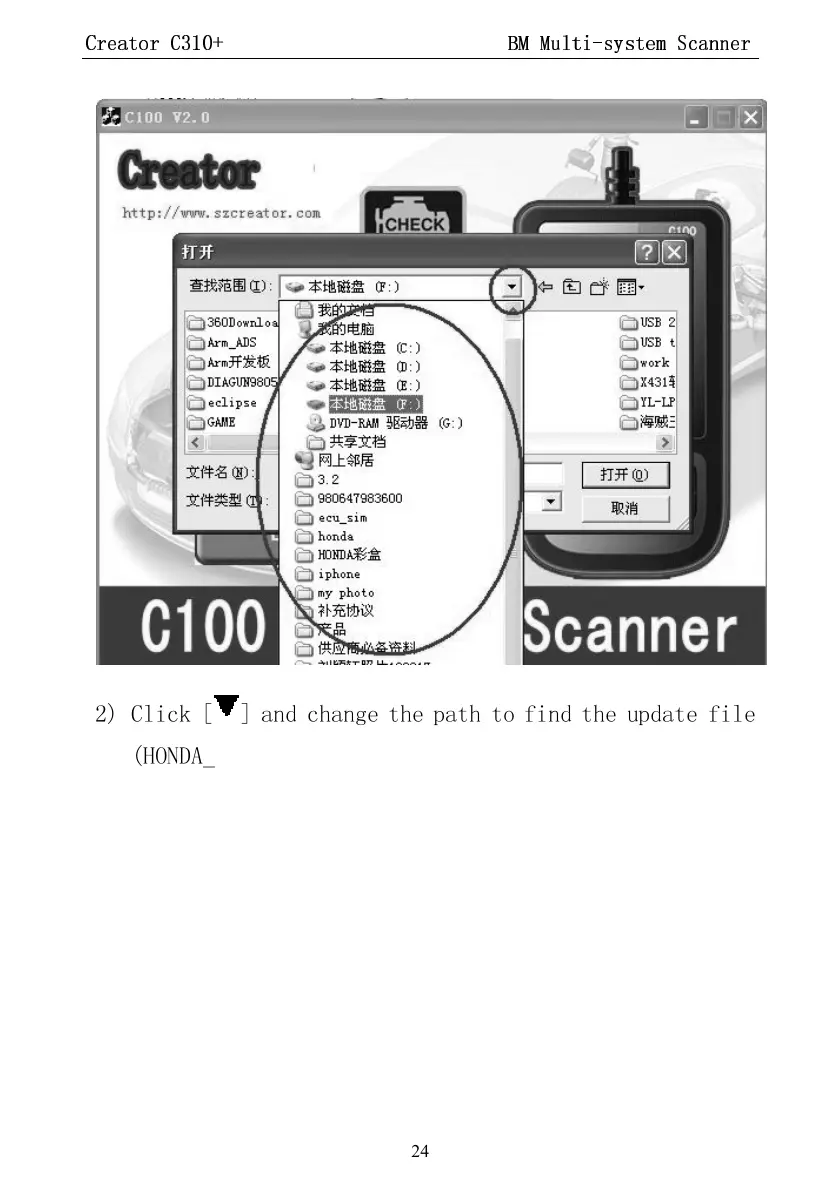
2) Click [
] and change the path to find the update file
(HONDA_CREATOR_XXXXXX.BIN)
3) Select update file and click [open] button.
4) Into the upgrade interface, wait for the end of upgrade
WARNNING:
Do not power off during upgrade!
Do not Plug or Unplug USB tools during upgrade!


 To Next Page