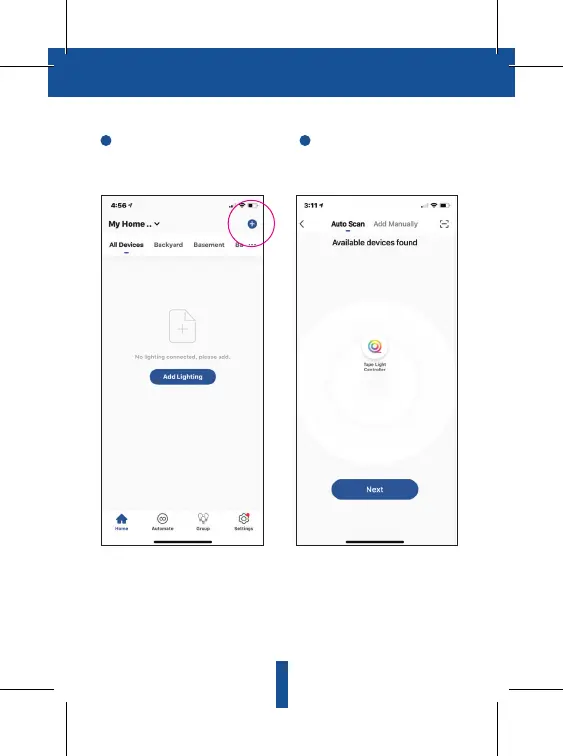
In the Cree lighting app, tap the “+ ”
sign in the upper right-hand corner
of the Home screen.
The Tape Light Strip you are pairing
will appear on screen, tap “Next.”
The Wi-Fi network your phone is
connected to will appear. You can
change your network to a 2.4 GHz
network if needed and enter
password.
The Cree Lighting app will add your
Tape Light Strip.
6
Pairing with the App
9
1 2


 To Next Page