
 Need help?
Do you have a question about the CREE LIGHTING CONNECTED MAX and is the answer not in the manual?
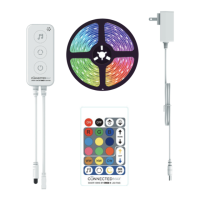
Step-by-step instructions for correctly aligning and connecting the tape light to the controller.
Procedure for connecting the power adapter to the controller and plugging into an outlet.
Details on operating the light strip via the physical controller's buttons for various modes.
Instructions for controlling the tape light with the infrared remote, pointing at the IR antenna.
Overview of app-based control for the smart tape light strip.
Important warnings about electric shock, water exposure, cleaning, and lightning storms.
Notes on dimmer switch incompatibility, operating temperature, and location suitability.
 General
| Brand | Cree Lighting |
|---|---|
| Product Name | Connected Max |
| Category | Lighting Equipment |
| Voltage | 120V |
| Operating Temperature | -20°C to 40°C |
| Type | LED |
| Connectivity | Wireless |
| Dimming | Yes |
| Control Options | Voice |
| Warranty | 5 years |

 To Next Page
