7
Pairing with the App
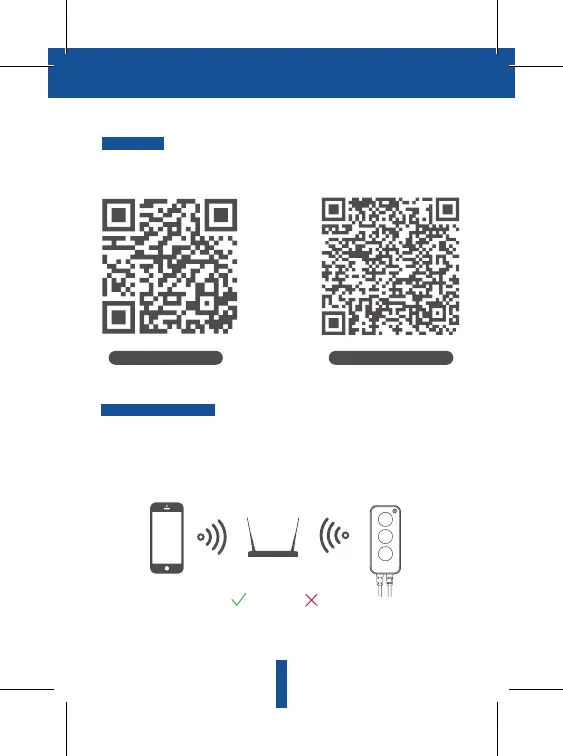
Download
The Connected Max Smart Tape Light Strip must pair to a 2.4GHz Wi-Fi network.
Once paired, you can control on any Wi-Fi or cellular network. For most users,
pairing will be quick and simple. But depending on the type of wireless router
you have, you may need a little more information to get started. Refer to our
Wireless Router Guide at creelighting.com/connectedmax for more
information.
NOTE: If you need to re-select the Wi-Fi network, please press and hold the
"Power" button on the Controller for 5 seconds, the device will restart, and the
Tape Light Strip will slowly flash.
Pairing to your network
Download App (Android)
Download App (iOS)
Please keep network available
2.4GHz 5GHz
The Cree Lighting App is available for both iOS and Android.
Search Cree Lighting in the App store or Google Play to download the app.


 To Next Page