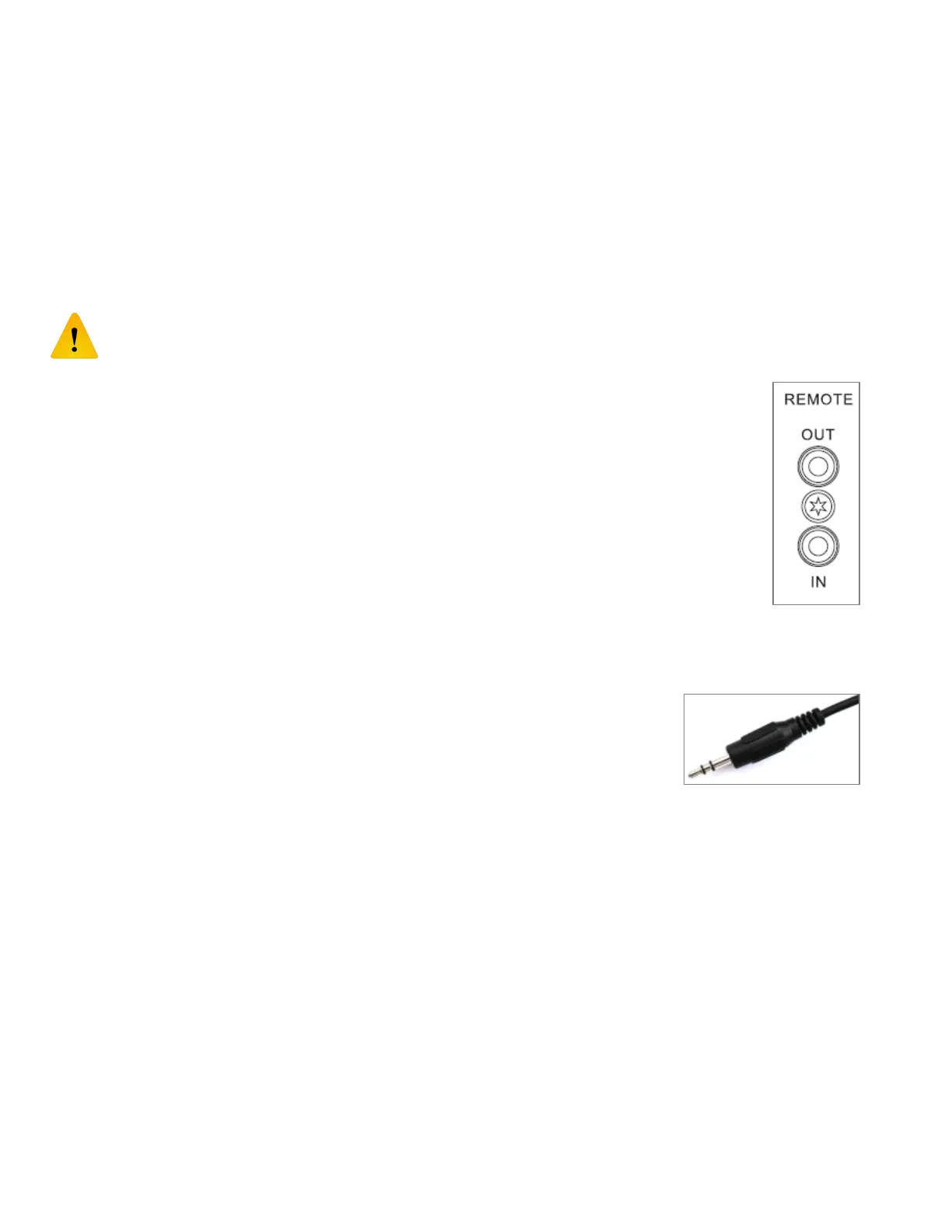
리모트 콘트롤 입출력 REMOTE IN/OUT
Evolution 50 시리즈 제품은 리모트 콘트롤 입출력 잭(사진)을 구비하고 있어서 외부의 적외선
센서를 장착하거나 다른 Evolution 제품과 연동할 수 있습니다. Out 잭은 오디오 신호에 영향을
주기 않기 위해서 광 센서로 분리되어 (전기적으로 독립되어) 있습니다. IN 잭 OUT 잭 모두
양방향 통신이 가능합니다. 그러나 IN 잭은 외부 적외선 센서나 OUT 잭의 차폐회로에 전원공급
역할도 하고 있습니다.
연결은 항상 본기의 IN 잭과 다른 기기의 OUT 잭을 연결하십시오. IN 과 IN 을 연결하면 절대로
안됩니다. IN 과 IN 을 연결하면 기기에 손상이 발생할 수 있습니다.
The EVOLUTION range of products are equipped with remote control input and output jacks to
allow the use of external infra-red (IR) sensors and to allow the products to “talk” with each
other, forming an integrated system with additional features. The remote OUT jack is opto-
isolated (electrically ‘floating’) to prevent any interference to the audio signals when linking
equipment. Both IN and OUT jacks are in fact bi-directional for the signals but the IN jack also
provides power which is used to run the external IR sensor or the opto-isolator circuitry on the
OUT jack. Always connect an IN jack to an OUT jack on matching EVOLUTION range products,
NEVER connect and IN jack to an IN jack as damage could result! Page: 4
양방향 통신이 가능하기에 두 개를 연결할 필요가 없고 단 하나의 케이블만 연결하면 됩니다.
케이블은 3 핀 3.5mm 스테레오 케이블(사진)입니다. 2 핀의 모노 케이블을 사용하시면 안됩니다.
Because the connections are bi-directional there is no need to form a loop when
connecting equipment together. A single cable between any pair of equipment is
sufficient. The correct cable for connections is a STEREO (3-terminal) 3.5mm
jack plug to jack plug cable, do NOT use mono (2-terminal) 3.5mm jack cables!
본 기기의 IN 잭에 케이블을 연결하면 자동적으로 본 기기 내부의 적외선 센서는 작동을 멈추어
리모컨 신호와의 충돌을 방지합니다. 이 리모트 연결은 표준 변조방식의 리모트 콘트롤 신호와 본
기기 고유의 명령어를 사용하여 다른 Evolution 기기와의 연동하거나 펌웨어 업데이트 기능을
수행하게 됩니다.
Connecting anything to the IN jack will disable the built-in IR sensor to prevent clashing of the signals. The
remote connections carry standard demodulated remote control signals along with proprietary serial
commands to synchronies various EVOLUTION products and carry out firmware updates.
⑧




 To Next Page