p.27
NexSys Modules
7
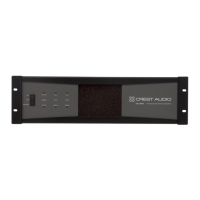
Module Features
This following pages describe the buttons,indicators,connectors and func-
tional components that are relevant to the two NexSys modules. These fea-
tures exist on both the NxEthernet and NxCobranet Modules. Features
specific to the NxCobranet Module are discussed later in this chapter.
1 4-character Display
The LED display shows the value of the current parameter for the
function chosen.The selected Function is indicated by the corre-
sponding LED.
2 Edit Button
Enables and disables editing of a function parameter. When pressed,
the value in the display will flash, indicating that edit mode has been
entered.The value can now be adjusted using the increment and decre-
ment buttons. Pressing Edit again will register the value and stop the
flashing of the display.
3 Select Button
When a function parameter exists for both channels independently
(e.g.Gain,Temperature),this button changes between the parameter
values for Channel A and Channel B. This button is also used to select
parameters within a given function.
4 Function Button
This button scrolls through the functions that can be controlled from
the module panel including: I.P.Address,Amp ID, Gain,Temperature,
AC Line Voltage. As each is selected,the corresponding LED wil light
and the appropriate function parameter will appear in the display.
5 Increment/Decrement Buttons
When the module is in edit mode and the value in the display is flash-
ing,the increment and decrement buttons will adjust the value.
6 Function LEDs
Each of the main functions has a corresponding LED. When a func-
tion is selected,this LED will light to identify the selection.Some sec-
ondary functions do not have an associated LED,so no LED will light
when these functions are selected.





 To Next Page