DO GUIDE
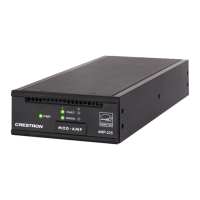
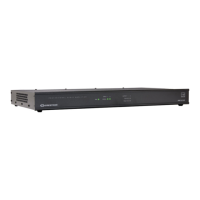
AMP-225/AMP-150-70/AMP-150-100/AMP-1200-70/AMP-1200-100/
AMP-2100/AMP-2100-70/AMP-2100-100
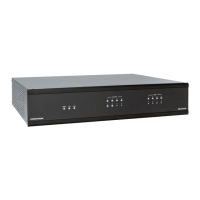
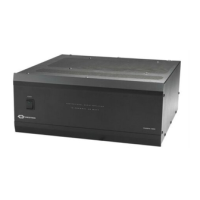
Modular Ampliers
The Modular Amplier Series can be congured for individual module use on a at surface or using
the “slide-lock” system, ganged together (one or more modules) for installation in a 1RU rack space.
The ampliers are functionally similar to each other with varying capabilities. For simplicity within this
guide, the term “amplier” is used except where noted.
DO Assemble the Device
If a single amplier is to be used on a at surface, refer to “Placing on a Flat Surface.” Otherwise,
continue below for instructions on creating an amplier assembly that can be placed in a standard
equipment rack. The only tools needed are a #1 or # 2 Phillips screwdriver, and a 1/4" nutdriver.
Gang Ampliers Together
Perform the following procedure to gang ampliers together. Refer to the diagrams.
1. Remove the two screws securing the rail to the amplier.
2. Remove the rail from unit 1 by sliding it off the side of the amplier.
3. Attach the rail to unit 2 using the three supplied at head screws.
4. Slide unit 1 into unit 2 assembly.
5. Secure unit 1 to unit 2 assembly with two of the screws removed in step 1.
6. Repeat steps 1 through 5 for additional ampliers.
Congure for Rack Installation
Before an amplier can be installed in a rack, additional hardware must be installed.
Faceplates
If an amplier or group of ampliers are not wide enough to mount in a rack, faceplates can be
assembled to “widen” the amplier to t in the rack. Create a faceplate by attaching an extrusion
plate to a quarter-width or half-width rack ear, as shown in the following diagrams. Secure the
extrusion plate to the rack ear using a 1/4" nutdriver and the included nuts.
Attach Rack Ears to Ampliers
Attach the faceplate bracket(s) or rack ears as required to the amplier(s). Refer to the following
diagram for details.
NOTE: Faceplates should not be attached to rack ears that are attached to the length of the
amplier.
DO Install the Device
Once assembled, the amplier can be mounted into a rack, mounted onto a at surface, or placed
onto a at surface.
Mounting into a Rack
Each amplier occupies 1U of rack space. Using a #1 or #2 Phillips screwdriver, mount the device into
the rack using four mounting screws (not included).
WARNING: To prevent bodily injury when mounting or servicing this unit in a rack, observe the
following guidelines:
• When mounting this unit in a partially lled rack, load the rack from the bottom to the top with
the heaviest component at the bottom of the rack.
• If the rack is provided with stabilizing devices, install the stabilizers before mounting or servicing
the unit in the rack.
CAUTION: To prevent equipment damage, use only the Crestron
rack ears provided for this device.
NOTE: Although ampliers can be installed in a rack without space between them, it is
recommended to add a space between devices to allow ease of access to the rear panel
connections.
DO Check the Box
QUANTITY PRODUCT COLOR PART NUMBER
1 Power Cord, 6' 7" (2 m) 20 01134
1 Connector, 5-Pin 2003577
1 Extrusion Plate, Quarter-Width 4525244
1 Extrusion Plate, Half-Width 4525245
1 Quarter-Width Rack Ear, 1U 2046651
1 Half-Width Rack Ear, 1U 2046652
2 Bracket, Wall Mount 2046992
4 Nut, 04-40, Keps 2004878
6 Screw, 6-32 x 3/8", Undercut Head, Phillips Black 2007235
4 Foot, 0.5" x 0.5" x 0.23", Adhesive Black 2002389
For AMP-150 -70, AMP-150-10 0, AMP-1200-70, AMP-120 0-100
1 Connector, 2-Pin 2044402
For AMP-225, AMP-2100, AMP-2100-70, AMP-2100-100
2 Connector, 2-Pin 2044402
Remove these
screws.
Unit 1
Rail
Unit 2
Rail
Unit 1
Unit 2 assembly
Quarter-size faceplate bracket Half-size faceplate bracket
Quarter-size rack ear
(no faceplate attached)
Half-size faceplate bracket
Unit 1
Unit 2 assembly

 Need help?
 General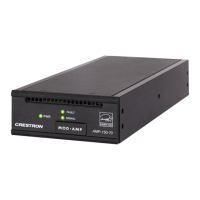




 To Next Page