Cameo
™
Keypads Crestron C2N/C2NI-CB Series
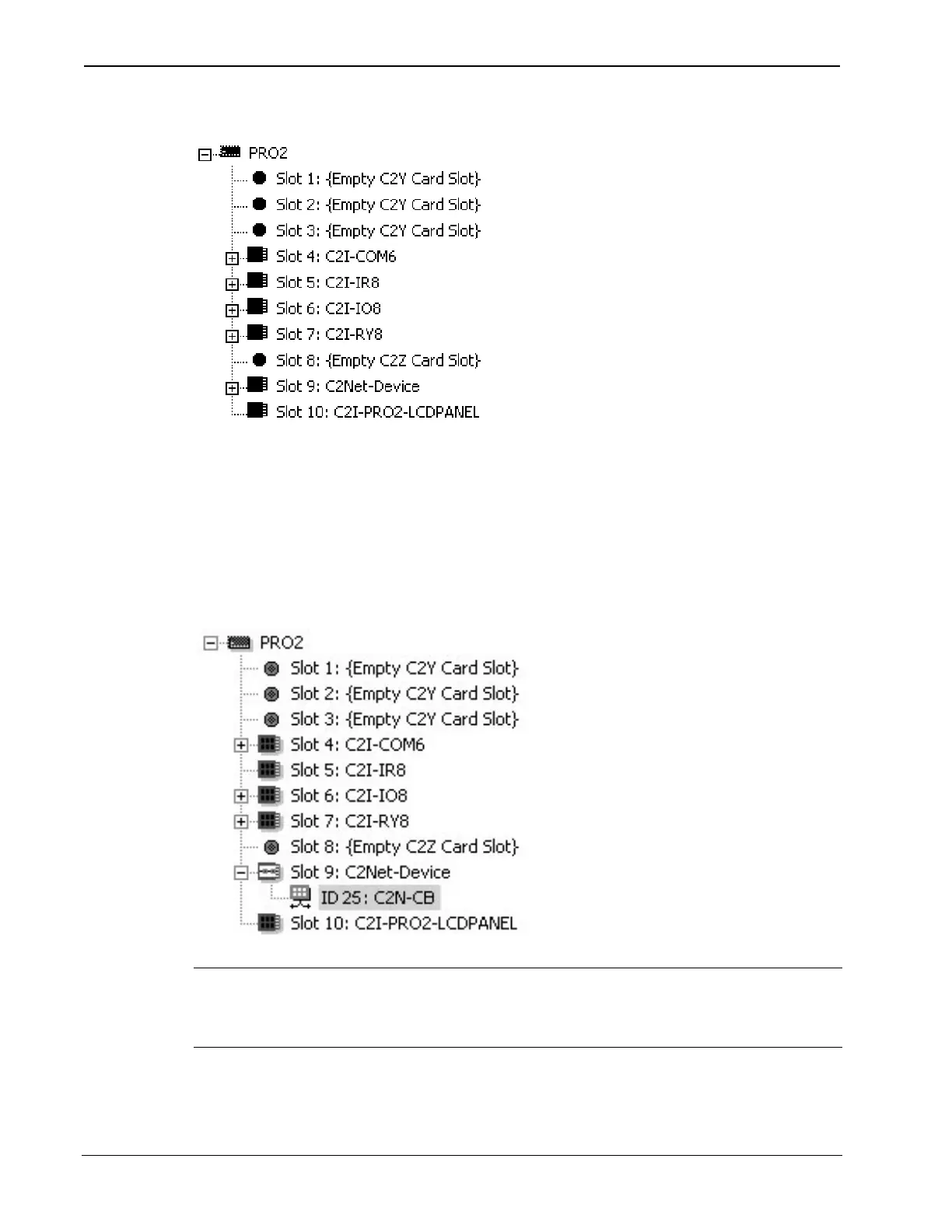
Expanded PRO2 System Tree
C2Net-Device Slot in Configuration Manager
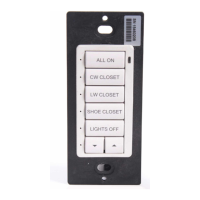
To incorporate a Cameo keypad into the system, drag the C2N-CB from
the Wired Keypad folder of the Device Library and drop it in System
Views. The PRO2 system tree displays the C2N-CB in Slot 9, with a
default Net ID of 25 as shown in the following illustration.
C2Net Device, Slot 9
NOTE: The first Cameo keypad in a system is preset with a net ID of 25
when its symbol is dragged into the upper pane of System Views.
Additional units are assigned different numbers as they are added.
26 • Cameo™ Keypads: C2N/C2NI-CB Series Operations & Installation Guide - DOC. 6346A


 To Next Page