Crestron C2N/C2NI-CB Series Cameo
™
Keypads
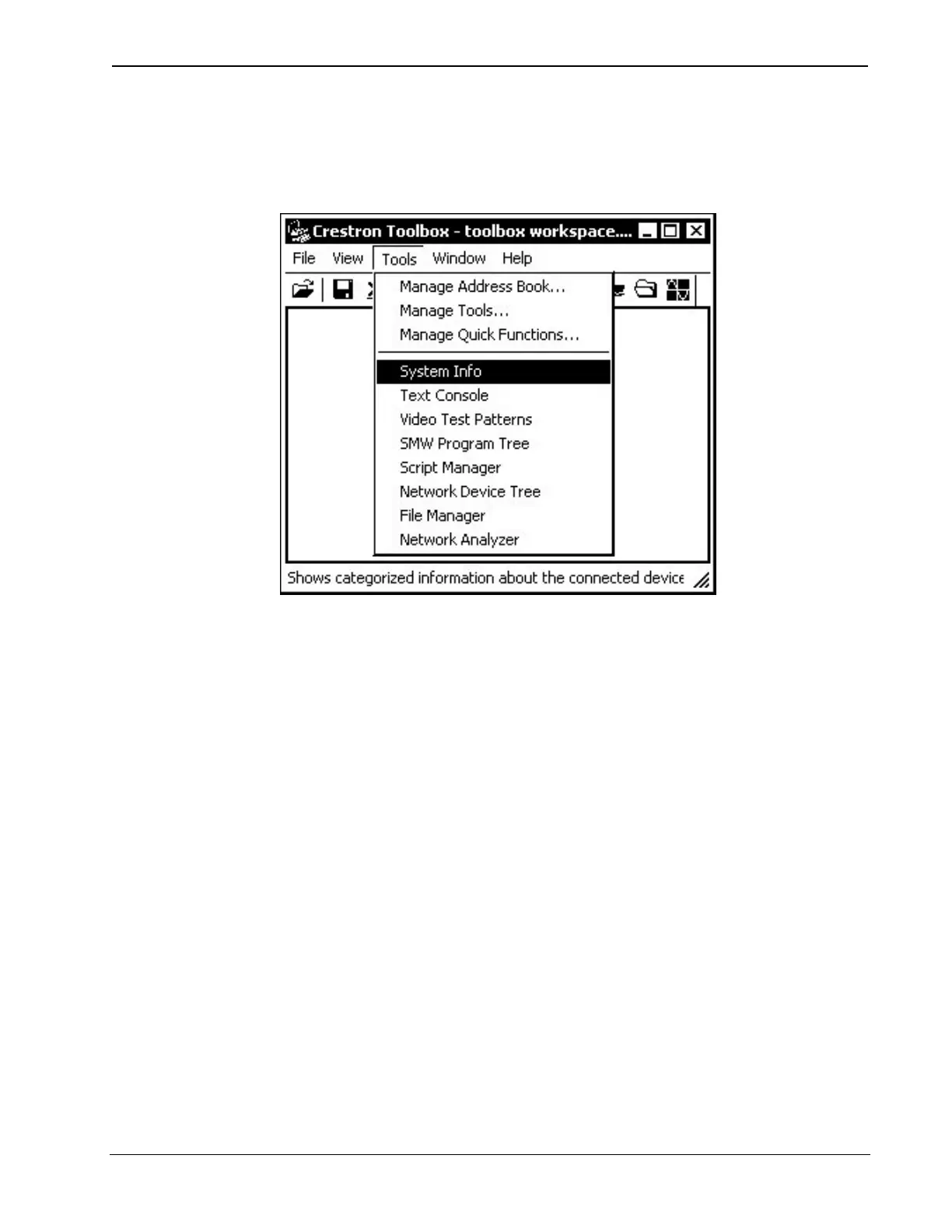
2. Open Crestron Toolbox.
3. Select Tools | System Info.
Crestron Toolbox – Tools | System Info
4. When the “System Info” window appears and you are
connected to the control system, the Functions option
becomes available from the menu bar.
5. Select Functions | SIMPL Program.
The “SIMPL Program” window contains information about
the currently loaded SIMPL program (if any), and permits you
to stop, start, erase, retrieve, and upload a SIMPL program.
This menu also permits you to upload to compact flash or
internal flash.
Operations & Installation Guide - DOC. 6346A Cameo™ Keypads: C2N/C2NI-CB Series • 33


 To Next Page