Software Crestron D3 Pro
™
Step 3: Select the location of the PAC2 control processor
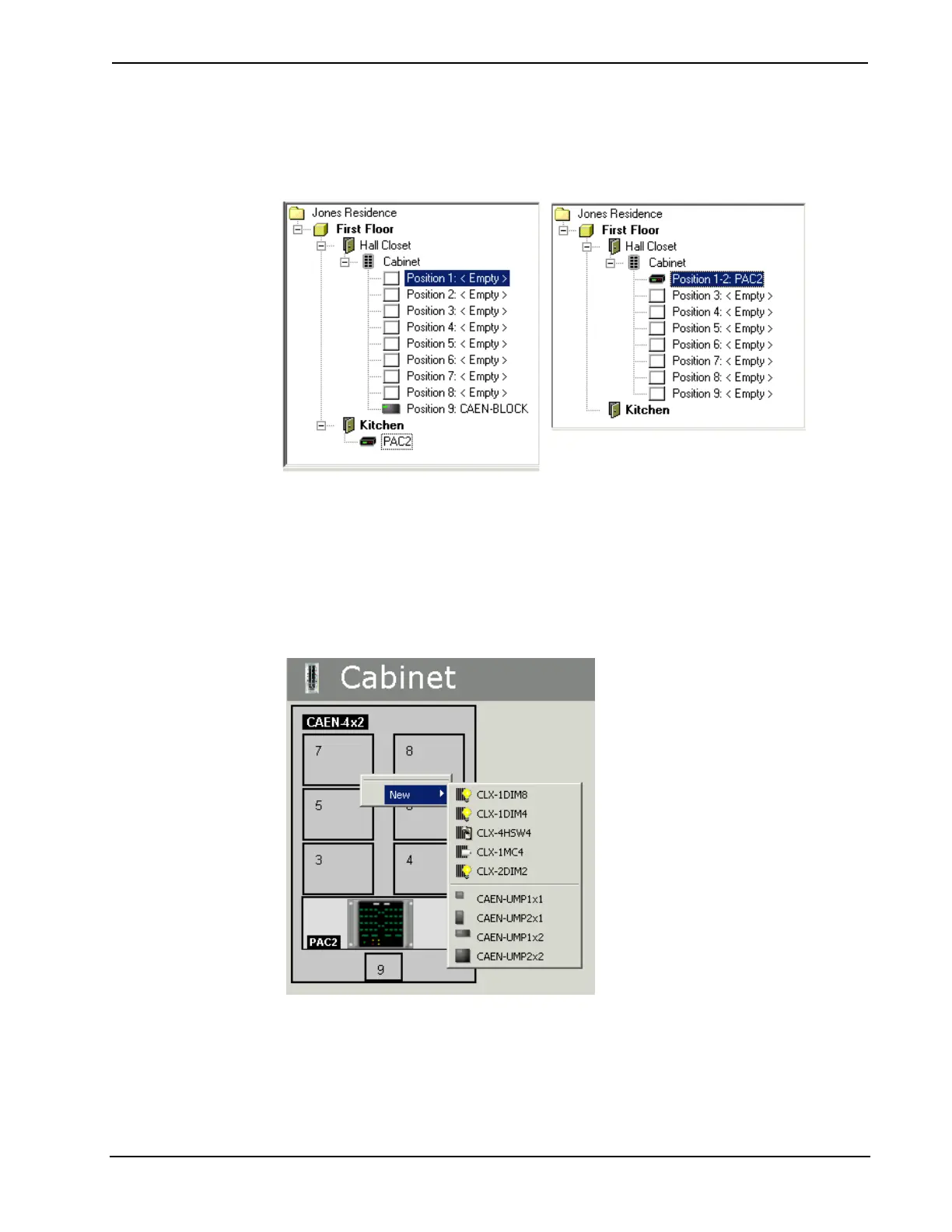
In the system directory, drag the PAC2 control processor from its default location to
the enclosure.
This will display a graphic of the cabinet in the program detail area in the center of
the screen. The PAC2 will automatically be placed in Position 1 of a singlewide
cabinet; or Positions 1 and 2 of a doublewide.
Step 4: Add control modules to each enclosure
Drag a control module from the Modules toolbox to the desired slot on the graphic
detail or system directory. Alternatively, right-click the space on the graphic, point to
New and select the module from the submenu.
36 • Crestron D3 Pro™ Reference Guide – DOC. 5998a



 To Next Page