Software Crestron D3 Pro
™
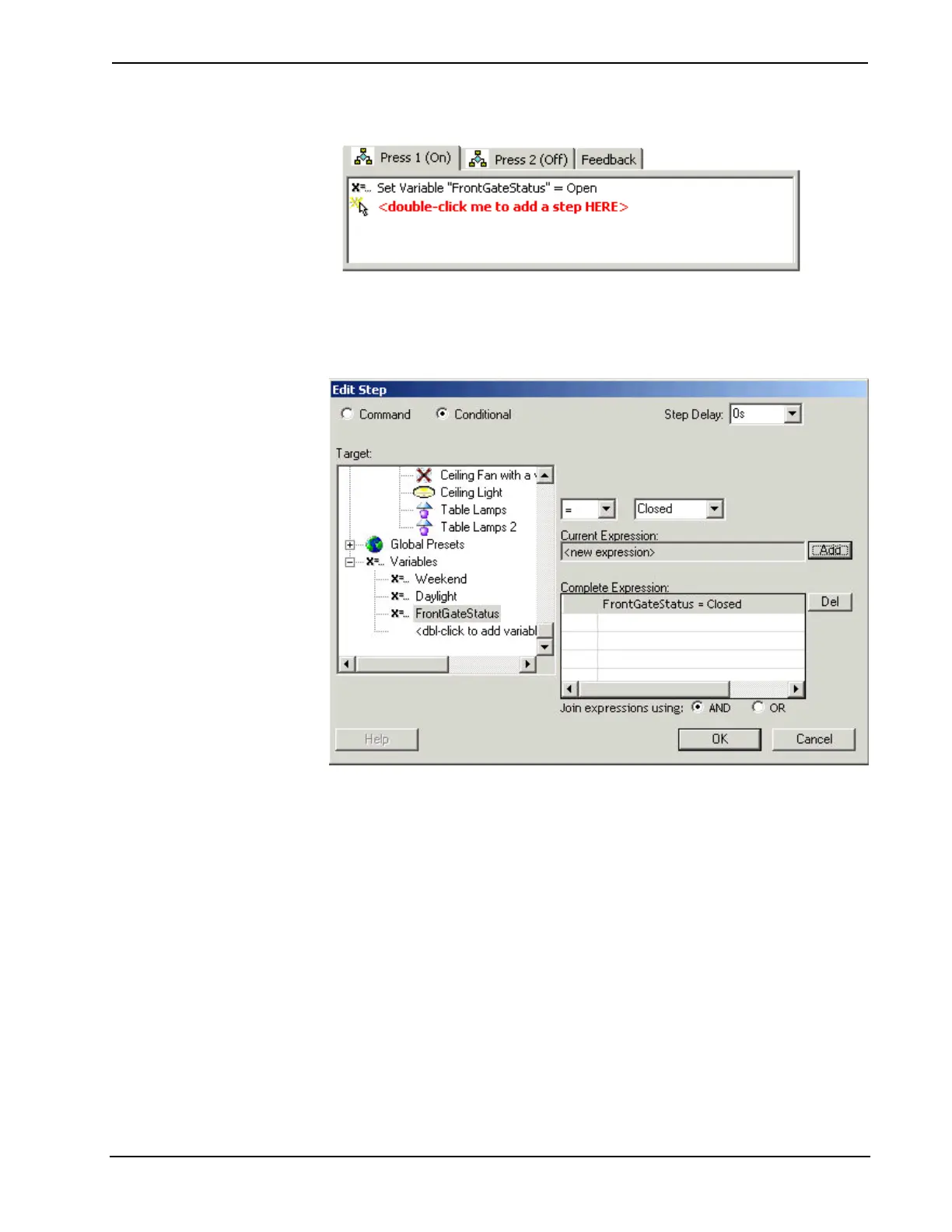
7. This will add a "Set Variable" command to the event tab, as shown below:
You can use global variables in a conditional statement. In the example below, the
conditional statement selects a path of action depending on whether you set the front
gate variable to "Closed".
Global Presets
Global Presets allow you to create a set of pre-defined actions that you can assign to
any event. That is, you can assign the preset to any button or other system input in
your lighting program.
To define a global preset
1. Select the Global Presets device in the system directory. The program detail
area in the center of the screen will display a list of any global presets you
previously created.
2. Click New to create a new, "blank" preset. To rename the preset, select it and
press F2.
74 • Crestron D3 Pro™ Reference Guide – DOC. 5998a



 To Next Page