Software Crestron D3 Pro
™
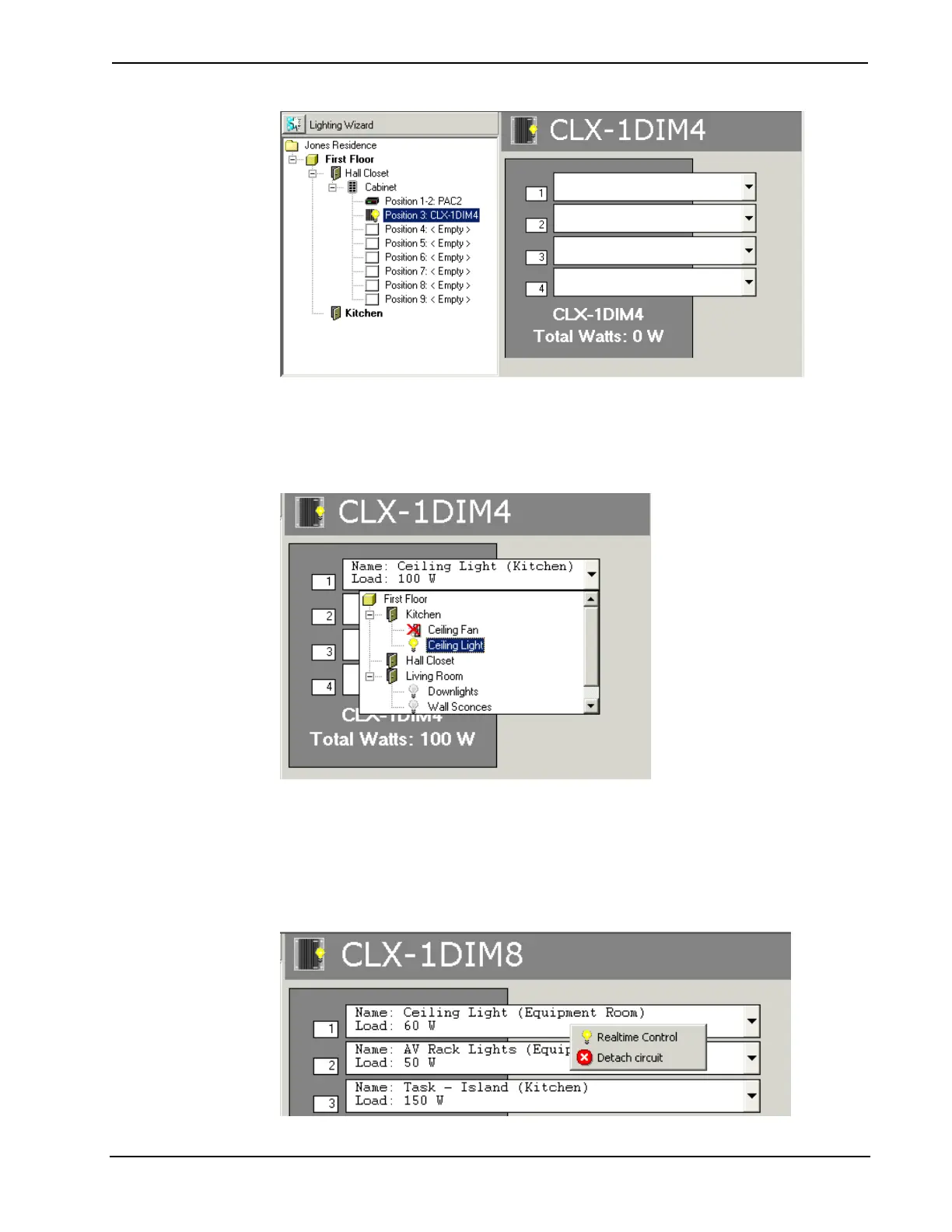
Click the arrow button next to the output you want to connect, and select the
controlled circuit from the drop-down list. If a circuit is not compatible with the
module, it will be crossed out. As shown below, this will turn the light bulb icon
yellow, indicating that the circuit has been successfully connected. This will also
display the total wattage.
Use the same procedure to connect all the controlled circuits in your load schedule to
compatible outputs on each module.
To disconnect a controlled circuit, right-click the output connection and select
Detach Circuit from the submenu. The right-click submenu also provides a
Realtime Control command. This allows you to adjust light levels in real time.
38 • Crestron D3 Pro™ Reference Guide – DOC. 5998a



 To Next Page