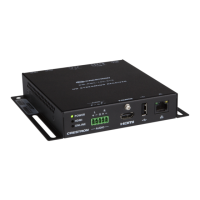
Supplemental Guide – DOC. 7846A DM-RMC-100-STR: HD Streaming Receiver
7
Stream Configuration Guidelines
CONFIGURATION
ITEM
GUIDELINES
Initiation
Specifies the streaming method used to determine when the
DM-RMC-100-STR is to begin streaming. In the
drop-down
list, select one of the following:
•
(Default setting) Specifies a unicast RTSP,
HLS (HTTP Live Streaming), or MPEG DASH (Dynamic Adaptive
Streaming over HTTP) stream. The DM-RMC-100-STR
attempts to connect to the transmitting device whose address
is specified in the
text box. The stream must
be configured before the DM-RMC-100-STR can connect to
the transmitting device. Refer to the documentation of the
transmitting device for information about configuring the device.
•
Specifies a unicast UDP stream.
The DM-RMC-100-STR waits for an incoming connection from
a client. When the client connects, the initiation session
parameters are exchanged and the stream begins.
•
Specifies a multicast RTSP stream.
The DM-RMC-100-STR attempts to connect to the transmitting
device whose address is specified in the
text
box. The stream must be configured before the
DM-RMC-100-STR can connect to the transmitting device.
Refer to the documentation of the transmitting device for
information about configuring the device.
When the stream starts, the multicast address is displayed in
the
Detected Multicast Address
field (read only).
•
Specifies a multicast UDP stream.
The DM-RMC-100-STR begins streaming to the multicast IP
address specified in the
text box.
Stream Location
(Enabled only when
is set to
,
, or
) Enter the stream location using the
standard scheme format:
• For
o When
specifies a unicast RTSP stream,
enter the RTSP URL, for example:
rtsp://streaming.server.com:544/path/to/file.sdp
o When
specifies an HLS stream, enter the
HTTP URL, for example:
http://hls.server.com:8080/stream.m3u8
o When
specifies an MPEG DASH stream,
enter the HTTP URL, for example:
http://localhost:1935/live/myStream/manifest.mpd
• For
enter the RTSP URL, for example:
rtsp://streaming.server.com:544/path/to/file.sdp
• For
enter the multicast IP address in dotted
decimal notation, for example:
(Continued on following page)


 To Next Page
 Loading...