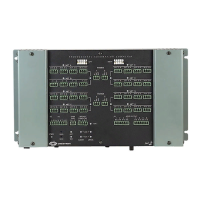
Professional Automation Mini Computer Crestron PAC2M
Setup
Network Wiring
When wiring the network, consider the following:
• Use Crestron Certified Wire.
• Use Crestron power supplies for Crestron equipment.
• Provide sufficient power to the system.
CAUTION: Insufficient power can lead to unpredictable results or damage
to the equipment. Please use the Crestron Power Calculator to help calculate
how much power is needed for the system
(http://www.crestron.com/calculators
).
• For larger networks, use a Cresnet Hub/Repeater (CNXHUB) to maintain
signal quality.
For more details, refer to “Check Network Wiring” on page 21.
Ethernet
The PAC2M also uses high-speed Ethernet for communications between the device
and a control system, computer, digital media server and other IP-based devices.
For information on connecting Ethernet devices in a Crestron system, refer to the
latest version of the Crestron e-Control
Reference Guide (Doc. 6052), which is
available for download from the Crestron website.
Mounting the PAC2M in the Crestron Automation
Enclosure (CAEN)
CAUTION: The CAEN houses equipment that needs to be air-cooled. Therefore
mount in a well-ventilated area. The ambient temperature range must be 32°F to
104°F (0°C to 40°C). The relative humidity must range from 10% to 90% (non-
condensing). Furthermore, allow adequate clearance in front of the vented cover for
servicing and ventilation.
NOTE: The CAEN is intended for indoor use only.
NOTE: Reliable earth grounding of equipment mounted in a CAEN should be
maintained. Particular attention should be given to supply connections other than
direct connections to the branch circuit (e.g., use of power strips).
NOTE: To ensure access to the connectors and memory card slot at the bottom of
the PAC2M, mount the PAC2M so that all CLX-(or CLXI-)Series modules are
above it within the CAEN.
The PAC2M has two flanges that allow the unit to be mounted in a CAEN. Refer to
the latest revision of the CAEN – Automation Enclosures Installation Guide (Doc.
5940) for more information on the CAEN. The following procedure assumes
10 • Professional Automation Mini Computer: PAC2M Operations Guide – DOC. 6507



 To Next Page