Crestron PAC2M Professional Automation Mini Computer
toolboxes and dragging it to a room. The available toolboxes differ depending on the
View but all Views include a "General" toolbox that allows you to add areas and
rooms at any time.
Programming with Crestron SystemBuilder
Crestron SystemBuilder is the easiest method of programming but does not offer as
much flexibility as SIMPL Windows. For additional details, download
SystemBuilder from the Crestron website and examine the extensive help file.
Programming with SIMPL Windows
NOTE: While SIMPL Windows can be used to program the PAC2M, it is
recommended to use D3 Pro or SystemBuilder for configuring a system.
SIMPL Windows is Crestron’s premier software for programming Crestron control
systems. It is organized into two separate but equally important “Managers”.
Configuration Manager
Configuration Manager is the view where programmers “build” a Crestron control
system by selecting hardware from the Device Library.
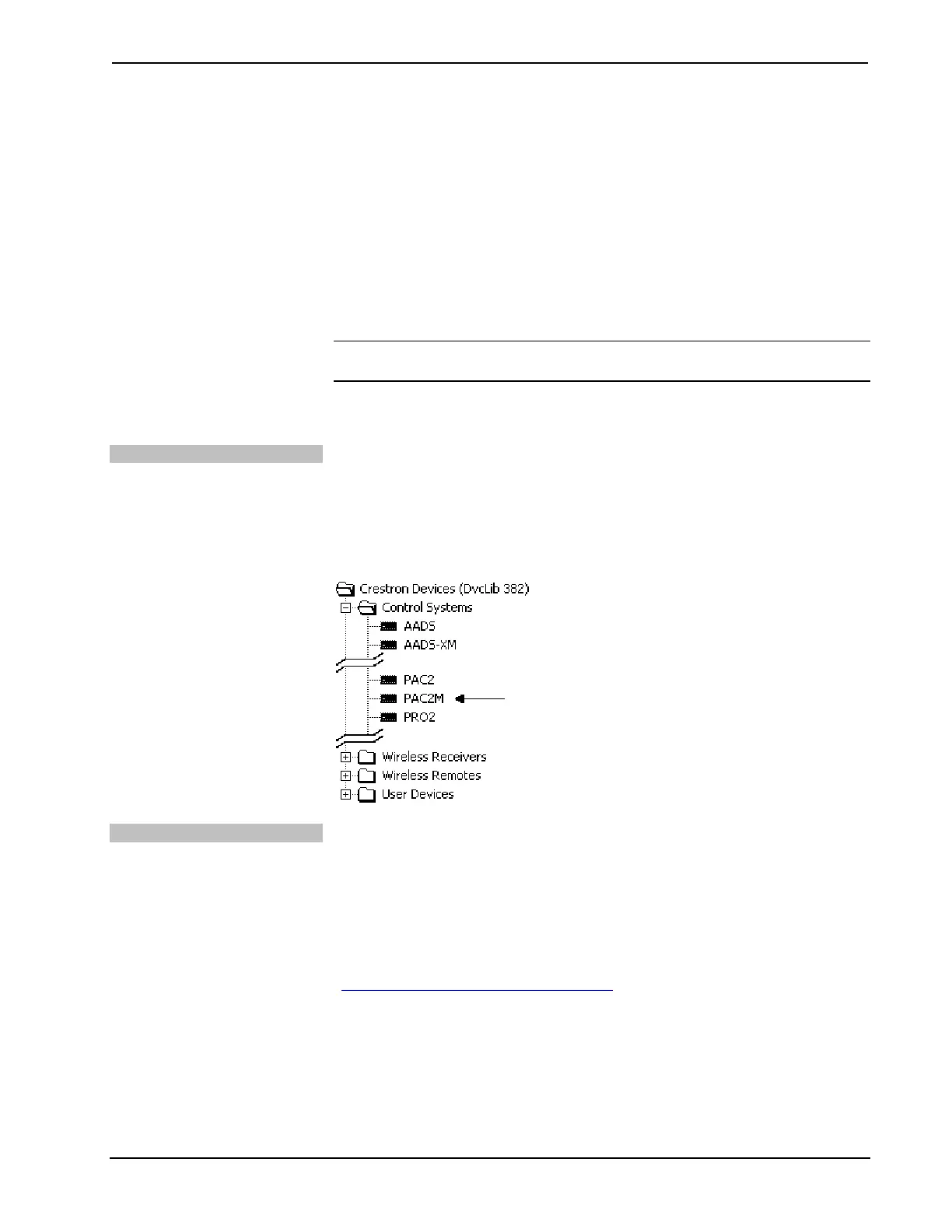
• To incorporate the PAC2M into the system, drag the PAC2M from the
Control Systems folder of the Device Library and drop it in the System
Views.
Locating the PAC2M in the Device Library
Programming Manager
Programming Manager is the view where programmers “program” a Crestron control
system by assigning signals to symbols. The symbol can be viewed by double
clicking on the icon or dragging it into Detail View. Each signal in the symbol is
described in the SIMPL Windows help file (F1).
Example Program
An example program for the PAC2M is available from the Crestron website
(http://www.crestron.com/exampleprograms
).
Operations Guide – DOC. 6507 Professional Automation Mini Computer: PAC2M • 15



 To Next Page