Software Crestron SIMPL Windows
Control Systems
The first step in building a system with SIMPL Windows is to select the control
processor. The Device Library includes all current Cresnet and Ethernet control
systems, including 2-Series, QM, and X-Series models.
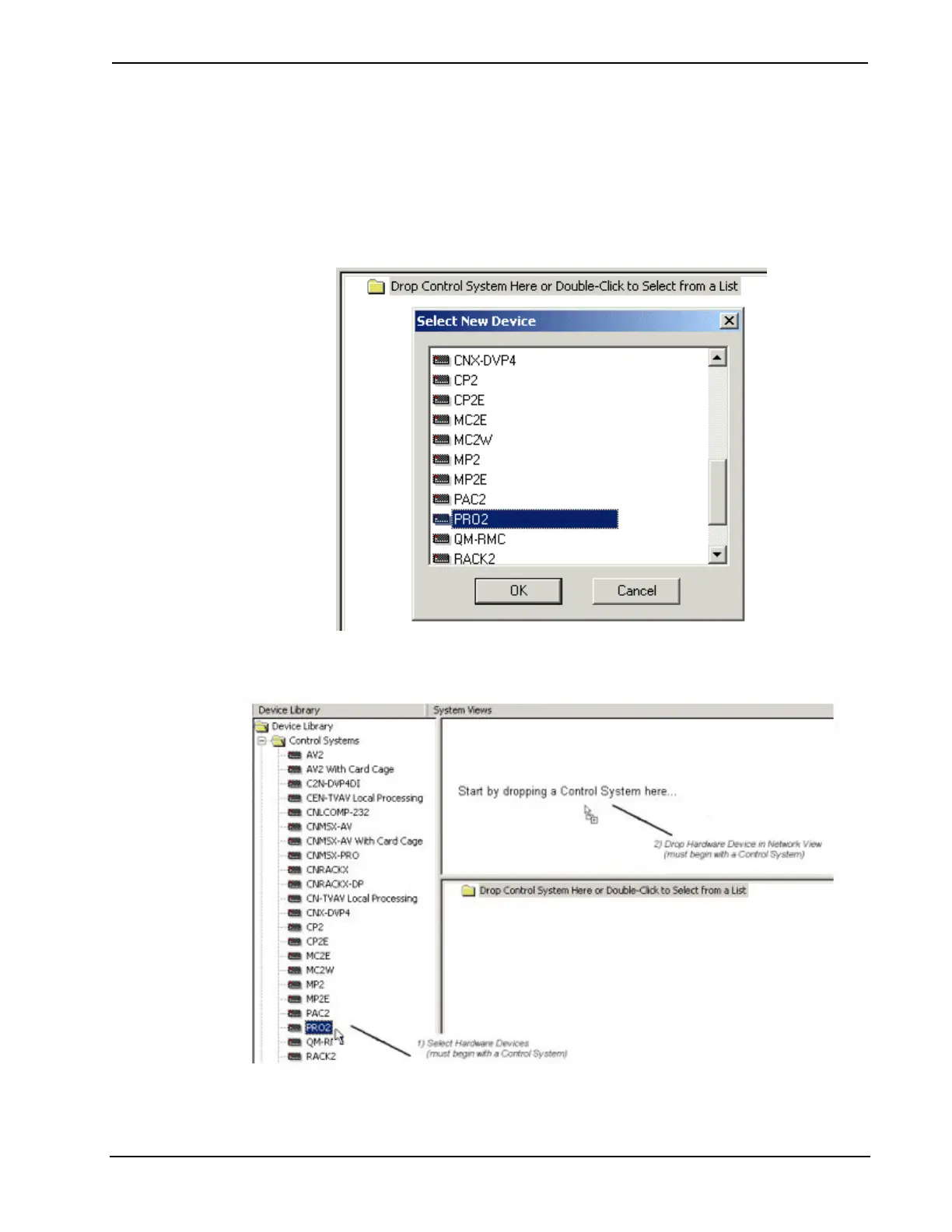
You can quickly add a control system by double-clicking the empty folder that is
displayed in the lower System View and selecting the control system from the list.
You can also the drag the control system to either of the System Views.
26 • Crestron SIMPL Windows Primer – DOC. 6253



 To Next Page