Software Crestron SIMPL Windows
If you add a Crestron device to a control card slot, SIMPL Windows will auto-assign
the network address, first by the default factory ID and then sequentially.
To add a Crestron device to a specific network address expand the slot and double-
click the network address. This will open the device selection list and add the device
to the selected ID.
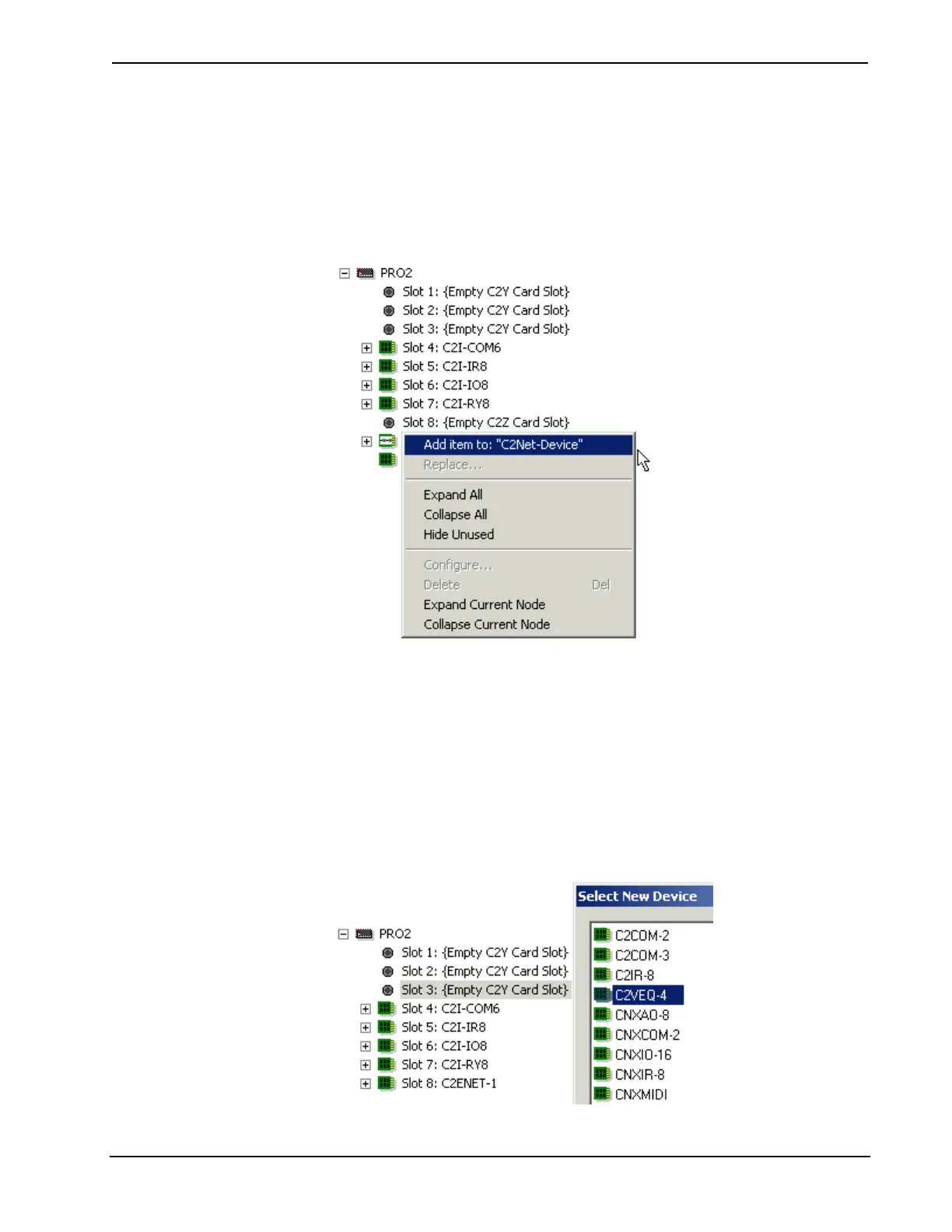
Another way to open the device selection list is to right-click the slot or network
address and select Add item from the submenu.
Plug-in Control Cards
Crestron plug-in control cards are circuit boards that can be easily installed in the
expansion slots of the control system. Plug-in cards serve many purposes, from
providing additional ports for IR or serial control, to adding audio mixing
capabilities to a processor, to connecting the control system to the Ethernet network.
You can select cards from the Plug-in Control Cards folder of the Device Library.
You can quickly determine which plug-in cards are compatible with which slots by
double-clicking the empty card slot in the control system tree. This will display a list
of all available cards.
28 • Crestron SIMPL Windows Primer – DOC. 6253



 To Next Page