Software Crestron SIMPL Windows
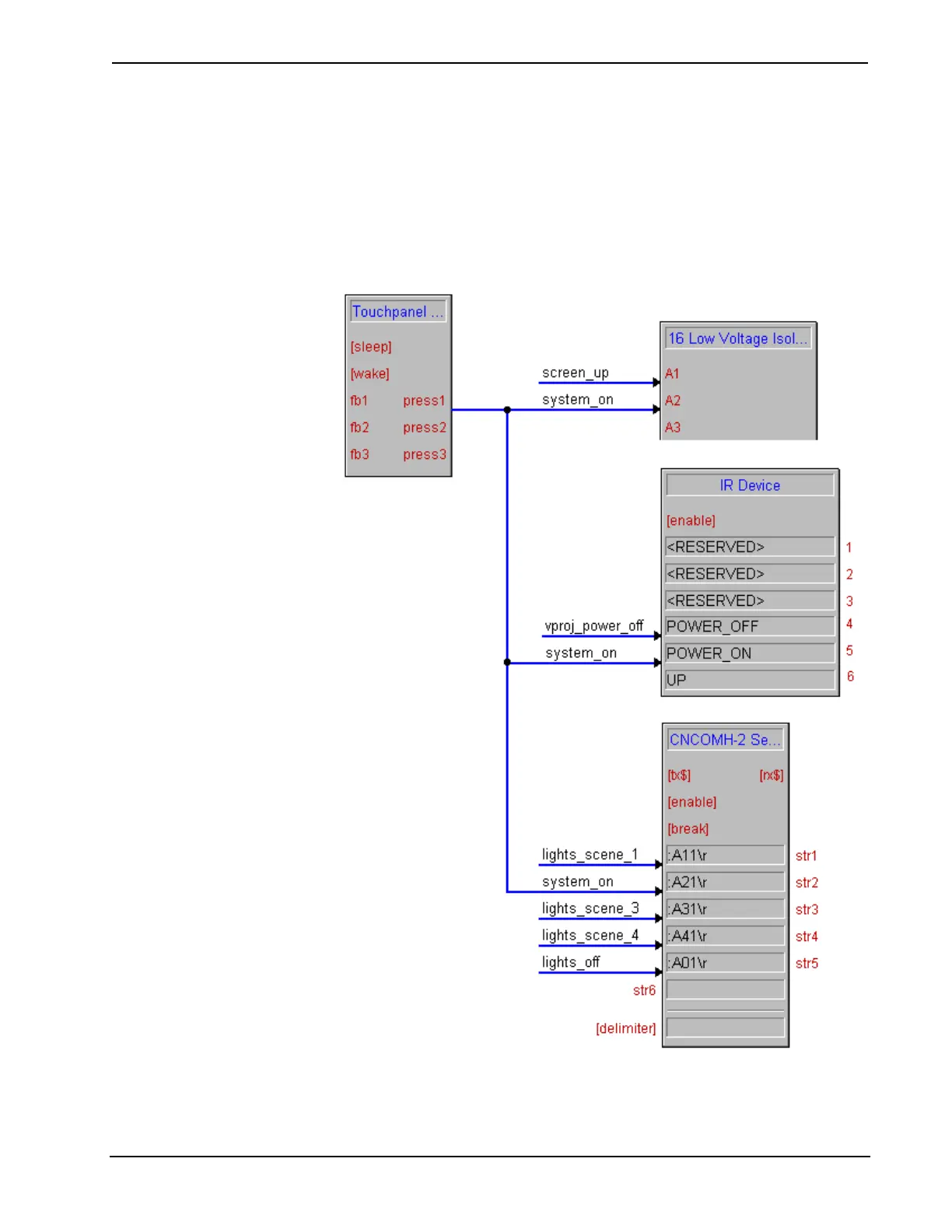
The nature of the SIMPL language makes it relatively easy to cause multiple events
to occur off of a single button press (or any event for that matter). For example, if a
button labeled ‘system on’ were designed to lower the screen, turn on the video
projector, and select a certain lighting preset, this could be accomplished by
connecting the button’s output signal to a relay to lower the screen, to the
‘Power_On’ command on the projector’s IR driver, and to a string literal on the RS-
232 driver for the lighting system. Without any logic programming we have
accomplished our goal. This is the program shown.
Single Button Press Example
44 • Crestron SIMPL Windows Primer – DOC. 6253



 To Next Page