Software Crestron SIMPL Windows
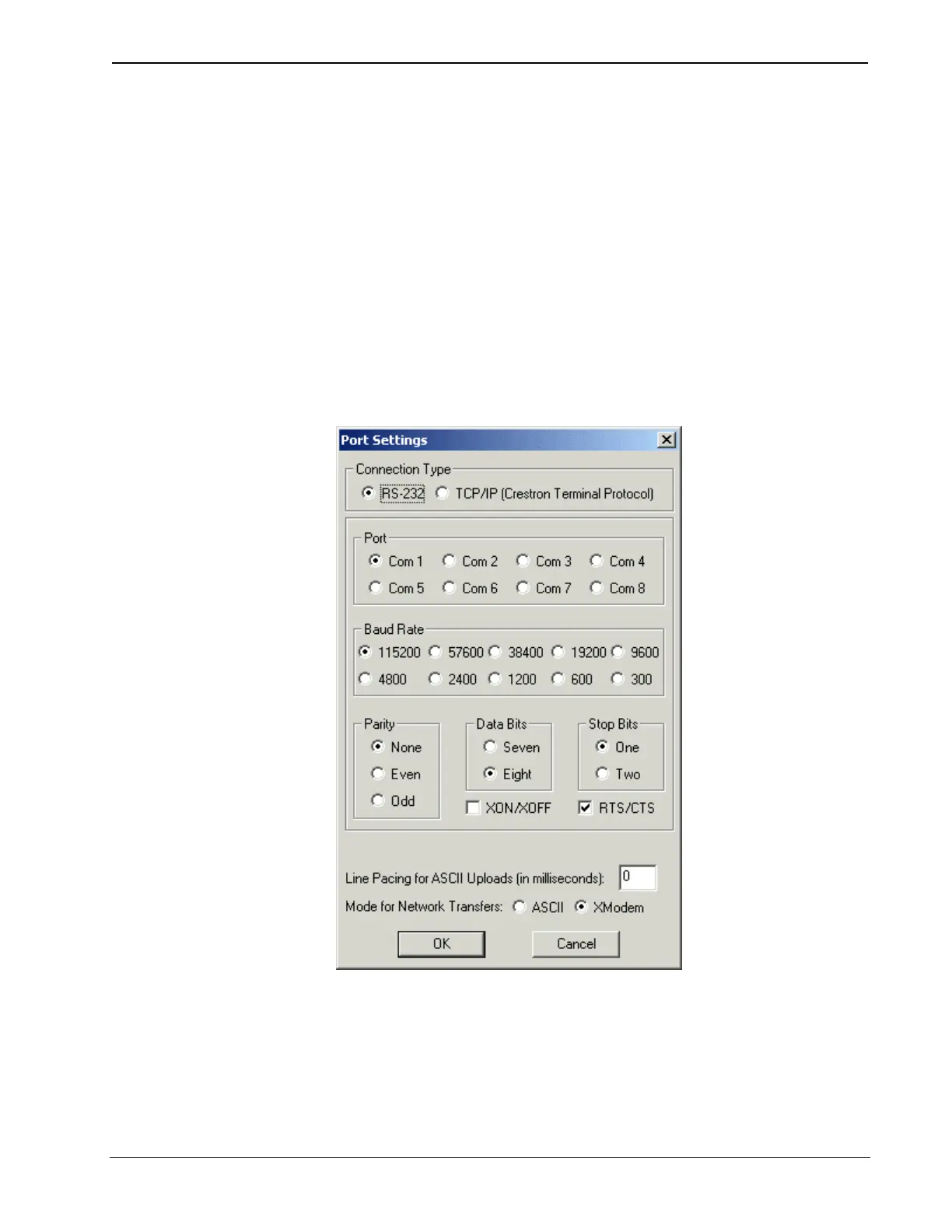
Click Communications on the Edit menu and select the connection type: RS-232.
Then use the following settings to make the COM port settings of the PC match
those of the control system:
• Port = COM 1. Select the correct COM port on the PC (COM 1 through
COM 8).
• Baud rate = 115200 for 2-Series control systems; 57600 for X-Series; 38400
for the ST-CP
• Parity = None
• Number of data bits = 8
• Number of stop bits = 1
• Hardware handshaking (RTS/CTS) enabled (2-Series only)
• Software handshaking (XON/XOFF) not enabled
Communication settings for a 2-Series processor
Primer – DOC. 6253
64 • Crestron SIMPL Windows



 To Next Page