Install the Mounting Bracket
The TSW-570 uses a different mounting bracket than the TSW-770 or
TSW-1070. The procedures for installing each mounting bracket are
described in the following sections.
Install the TSW-570 Mounting Bracket
The TSW-570 can be mounted into drywall and other surfaces, or it can
be mounted onto a wall stud.
NOTE: Additional mounting options are possible using the
TSW-UMB-70 universal mounting bracket, TSW-UMB-70-PMK
preconstruction mounting kit, TSW-UMB-70-BBI wall mount back box,
or TSW-570/770-RMK-1 rack mount kit. For more information, refer to
the product pages at www.crestron.com.
Preconstruction Installations
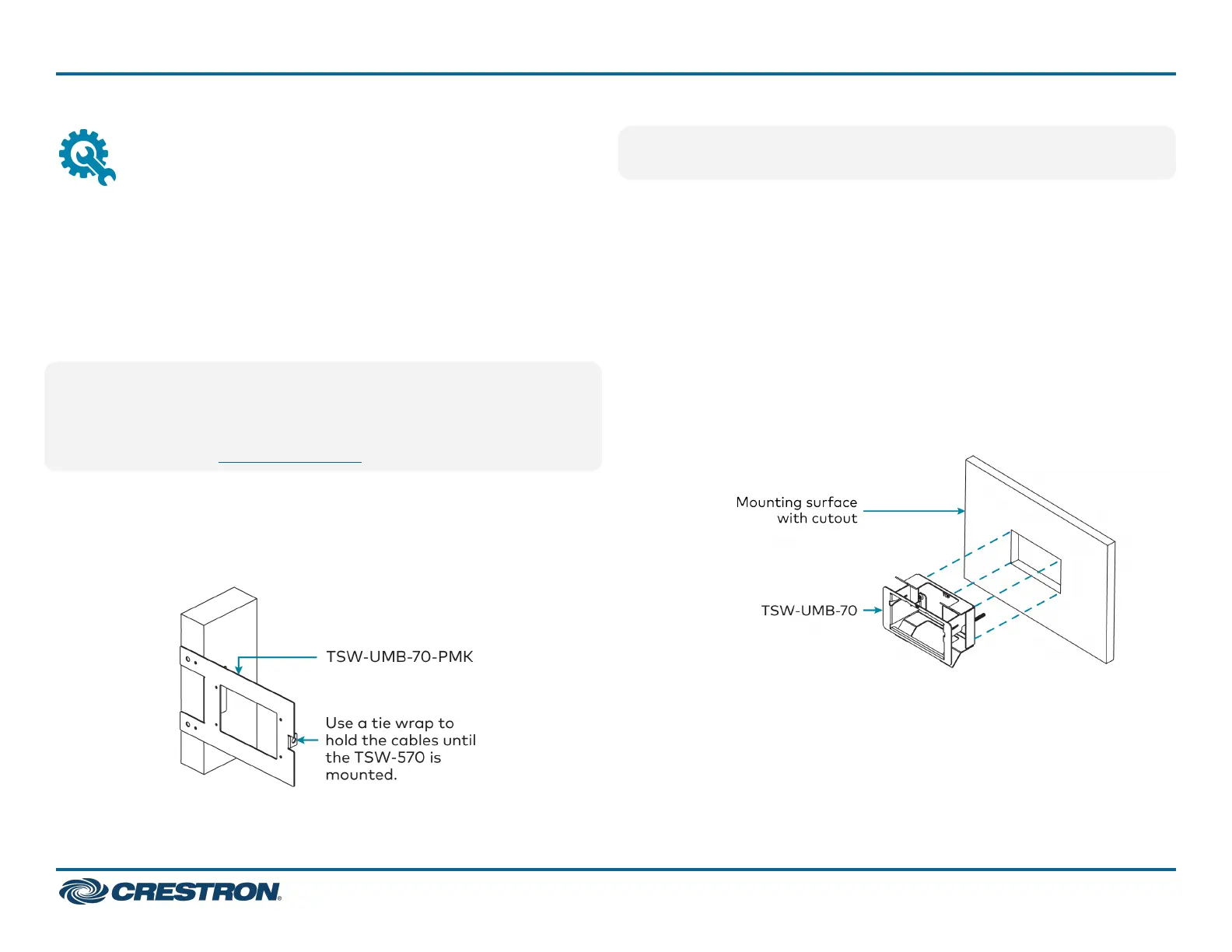
To install the TSW-570 mounting bracket in preconstruction
applications, use standard drywall nails or screws (not included)to
attach the TSW-UMB-70-PMK mounting bracket to a wall stud.
NOTE:Allowanairgapofatleast12in.(305mm)in the wall cavity
above and below the touch screen for heat dissipation.
Postconstruction Installations
To install the TSW-570 mounting bracket in postconstruction
applications:
1. Use the TSW-UMB-70-PMK mounting bracket as a cutout template
by turning the bracket to face the wall, ensuring it is level, and
tacking it to the wall temporarily with finishing nails (not
included)throughthesmallerholesaround the cutout opening.
2. Create an opening in the surface by tracing the cutout opening with
an appropriate drywall saw.
3. Loosen the two screws on the TSW-UMB-70 mounting bracket.
4. Install the TSW-UMB-70, bottom side first, into the opening.
2
TSW-570, TSW-770, and TSW-1070
QuickStart
5 in., 7 in., and 10.1 in. Wall Mount Touch Screens












 To Next Page