6 7
Every project is unique.
For more help resources, see
help.cricut.com
• Get inspiration and step-by-step tutorials on
youtube.com/cricut
• Join other Cricut Community members in our
ocial Cricut Facebook group
• Cricut Member Care: cricut.com/contact
or 1-877-727-4288
FCC STATEMENT
The U.S. Federal Communications Commission (in 47
CFR 15.105) has specied that the following notices be
brought to the aention of users of this product.
This device complies with part 15 of the FCC rules.
Operation is subject to the following two conditions:
(1) This device may not cause harmful interference, and
(2) this device must accept any interference received,
including interference that may cause undesired
operation.
Pursuant to Part 15.21 of the FCC Rules, any changes
or modications to this equipment not expressly ap-
proved by Cricut may cause harmful interference and
void the FCC authorization to operate this equipment.
NOTE: This equipment has been tested and found
to comply with the limits for a Class B digital device,
pursuant to Part 15 of the FCC Rules. These limits are
designed to provide reasonable protection against
harmful interference in a residential installation. This
equipment generates, uses, and can radiate radio
frequency energy and, if not installed and used in
accordance with the instructions, may cause harmful
interference to radio communications. However, there
is no guarantee that interference will not occur in a
particular installation. If this equipment does cause
Do not operate if Machine or cord is damaged.
Contact Cricut Member Care for service: cricut.
com/contact or 1-877-727-4288.
Only use Cricut-approved power adapters.
Always turn Machine OFF before unplugging from
the electrical outlet. Never pull on the cord to
disconnect Machine from the electrical outlet;
instead, grasp the plug and pull to disconnect
Machine.
The power cord should be positioned so that it
will not drape over the countertop or tabletop
where it can be tripped over, snagged or pulled on
unintentionally (especially by children).
Place Machine on a strong, flat, level and stable
surface. Make sure your work space has enough
space in the front and back of Machine to allow the
cutting mat to move through Machine freely.
Do not place your fingers or other objects in Machine
while connected to electrical power or while Machine
is powered on, or during cutting operations.
Keep hair, jewellery, loose clothing, fingers, other
body parts and any other items that could get
caught in the moving parts away from Machine
while it is operating as the rapid movements of the
cutting carriage, mat and material during operation
may cause injury.
Do not touch the mat or material during cutting,
even if the mat or material stops moving. Do not
touch the mat or material until Machine ejects the
mat or material from Machine.
Machine should never be left or stored outside,
in unheated or unairconditioned spaces, or in
environments where the machine can come in
contact with water.
LIMITED WARRANTY: See cricut.com/warranty,
or write to manufacturer or authorized region
representative at applicable address shown,
for full terms and conditions.
harmful interference to radio or television reception,
which can be determined by turning the equipment
o and on, the user is encouraged to try to correct the
interference by one or more of the following measures:
• Reorient or relocate the receiving antenna
• Increase the separation between the equipment
and receiver
• Connect the equipment into an outlet on a circuit
dierent from that to which the receiver is
connected
• Consult the dealer or an experienced radio/TV
technician for help
Technical specications
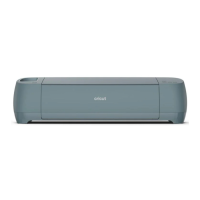
Cricut Explore™ 4 Models: CXPL203, CXPL203B,
CXPL203C
Description: The Cricut Explore 4 is a desktop
manufacturing device for helping do-it-yourself
(DIY) crafters make crafting projects. It takes images
created in a software design environment (Cricut
Design Space) and recreates the images in paper,
vinyl, etc. using tools to cut and write on these
materials.
The overall design is similar to a small desktop
printer or plotter with an electrically driven head
that moves the design tools laterally and feed rollers
that move the crafting materials longitudinally. The
combination of these movements gives 2 axis motion
to perform the desired actions (cutting, drawing,
etc.) on the crafting materials in a two-dimensional
flat plane.
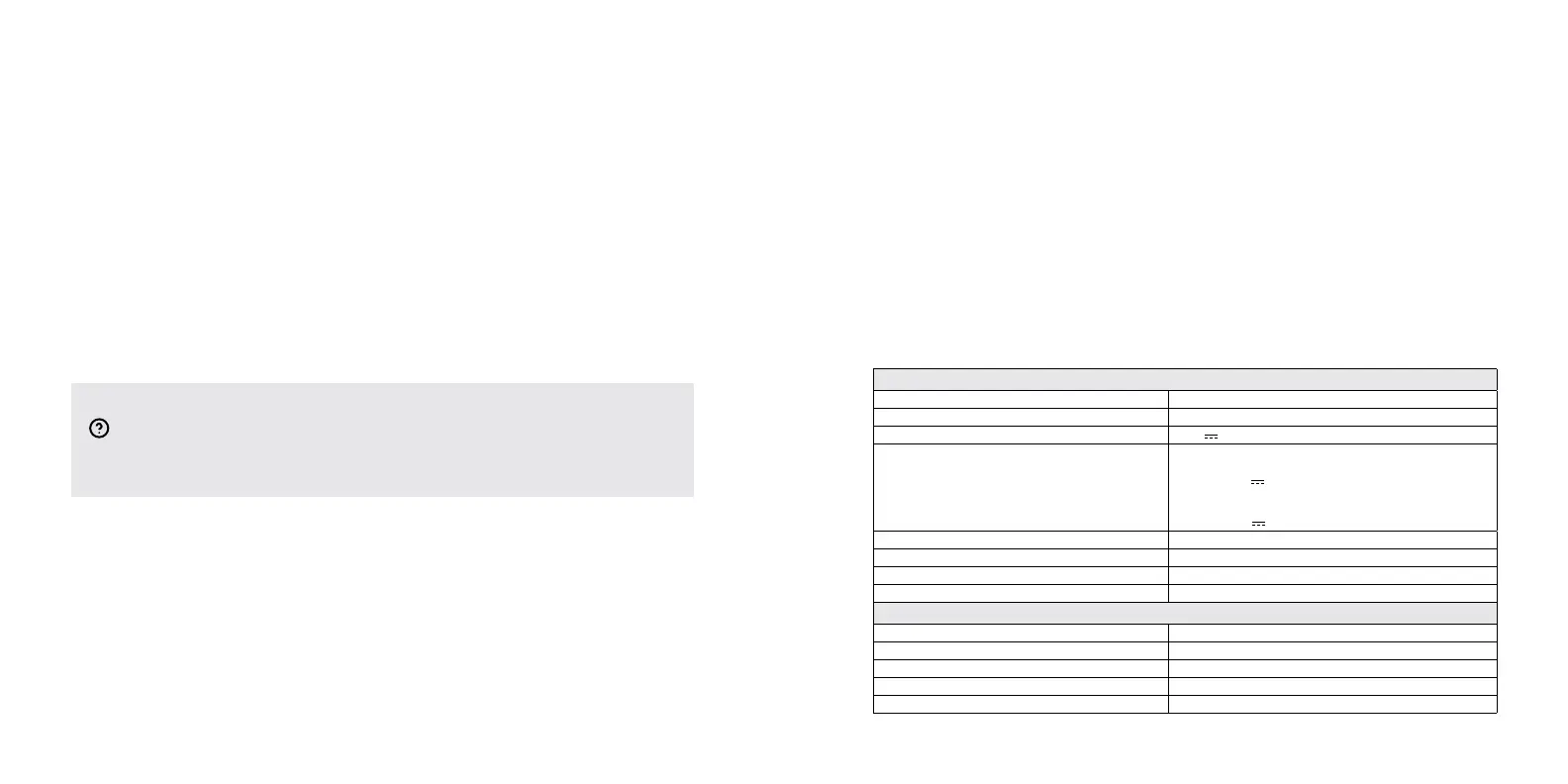
Product specifications
Size 21.18 in x 6.99 in x 5.93 in (53.8 cm x 17.75 cm x 15.06 cm)
Weight 10.98 lbs (4.98 kg)
Power input (appliance inlet) 24.0 V 1.5 A
External power supply Model: TS-A060-2402502
Input: 100-240 V ~ 50/60 Hz 1.6 A
Output: 24.0 V 2.5 A
Model: TS-A036-2401506
Input: 100-240 V ~ 50/60 Hz 1.2 A
Output: 24.0 V 1.5 A
Operating mode Continuous
Electrical classification Class III (Supplied by SELV)
Pollution degree PD 2
Ingress protection IPX0 (ordinary)
Wireless specifications
Transmission type Bluetooth
Frequency Band 2.4000–2.4835 GHz
Maximum Radiated Power <= 100 mW (e.i.r.p.)
Can/CSA C22.2 No. 60950-1-07 IT Equipment – General Requirements
EN 60950-1:2006/ All:2009/ A1:2010/ A12:2011/ A2:2013 IT Equipment – General Requirements


 To Next Page
 Loading...