Section 11E
Bluetooth
®
Section 11E Page 3
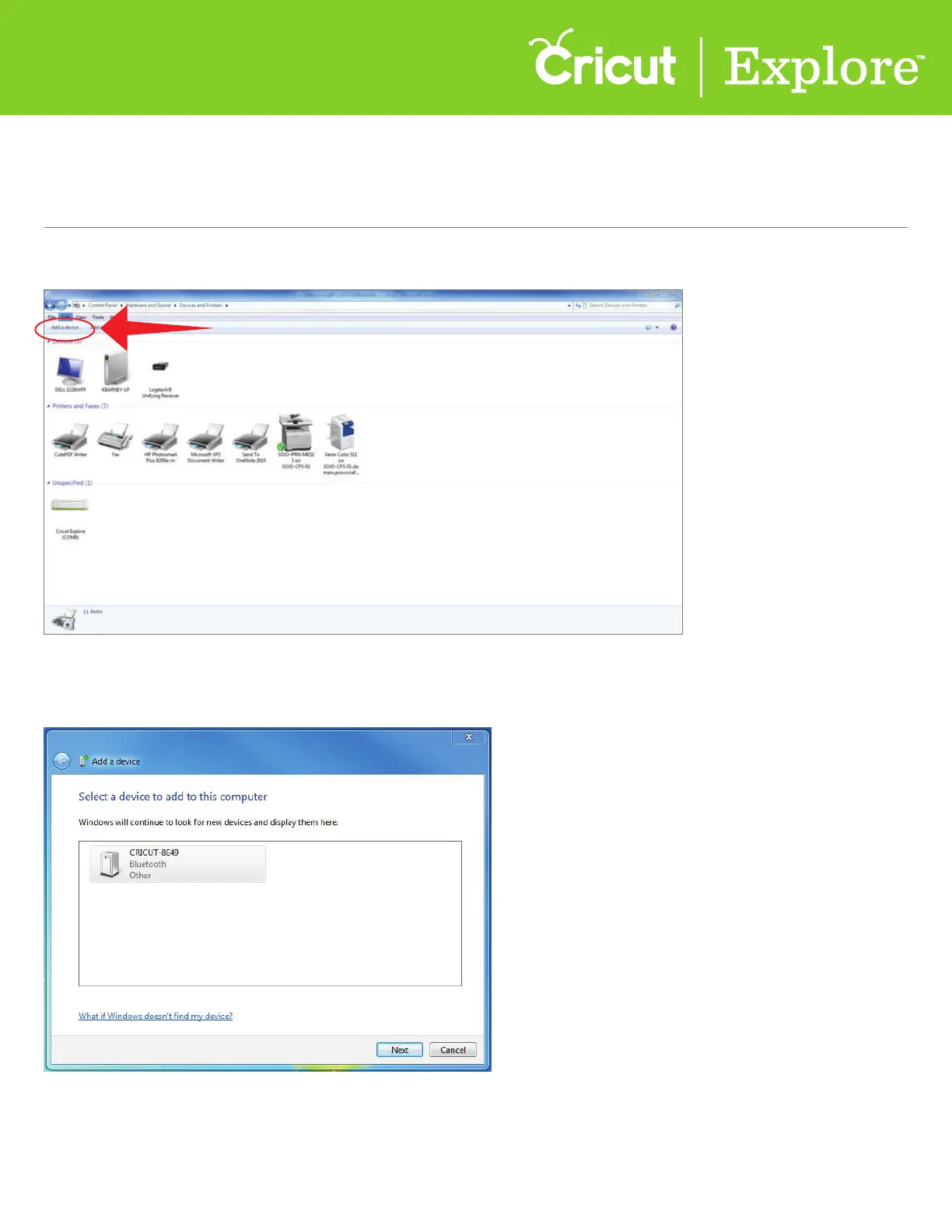
Step 5. Click on “Add a device.”
Step 6. Once your system has located your Cricut
®
machine, it will be displayed in the window under
“Devices.” Select your Cricut
®
machine from the list and click “Next” to continue.
Pairing a PC with Cricut Explore
®
via
Bluetooth
®
adapter















 To Next Page