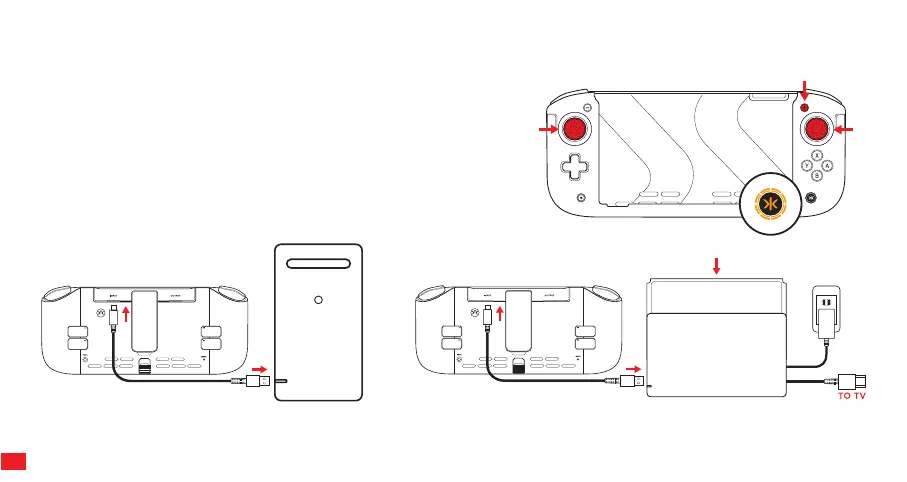
WIRED MODE OPERATION
The NItro Deck+ can be used as a Wired Controller on PC and also on Switch while it is in the dock and plugged into a television.
Note: USB Cable is required for Wired Mode play. USB cable is not included with Nitro Deck+ Editions.
With the Nitro Deck+ in Handheld Mode, press and hold L3, R3 and (+) at the
same time for 3sec and release (press down vertically on both Sticks). The
Home (CRKD) button LED changes to Orange to indicate Wired Mode.
Press and hold both L3, R3 and (+) again to change back to Handheld mode.
The Home (CRKD) button LED changes to white indicating you are back in
standard handheld mode.
Note: While in Wired Mode, play is not possible with the Switch docked in the
Nitro Deck+.
INPUT
INPUT
12



 To Next Page